Update 井3665 2026-10-27.
Home
These are my homegrown tools.
A tool exists because I did not find its function builtin in Windows (at the time). Or because there was a specific use case, that was easier to solve like this. And auditing for malicious code is easier in a few lines of your own, than in something off the internet.
And writing code is more fun than reading documentation somebody else wrote. (Yes, I see the irony.) Or did not write.
And implementing your own bad version is good for learning  . And
. And 
What you want may well be in Windows:
Windows Commands  ,
or Sysinternals ,
or Powertoys .
Also search Qwant
,
or Sysinternals ,
or Powertoys .
Also search Qwant  ,
and check NirSoft
,
and check NirSoft  .
.
Requires .NET, which should be part of a Windows installation. If not, get it from MS: .NET 4.8.1  .
.
If you are on an old Windows version not supporting 4.8, options to try are .NET 4.0 (more likely to work, but out of support), or .NET 3.5 SP1 (still in support).
FileSorter, hTacho and PasteAnything also have an *35.exe build for .NET 3.5 in 35ers.zip, though some functionality will be missing by now.
Some .NET installation files (notably for Compact Framework) are kept here: NetFramework . Do read the ReadMe.txt .
Applications zipped: HenningsSoftware.zip .
This page and applications zipped selfextracting: EverythingForOfflineZip.exe .
Applications as separate files: Applications . Maybe use something like FromWebToHere.bat to keep up to date.
Extract the files you need to a local folder.
Ideally, the folder should be protected (meaning only admins can write) fex %ProgramFiles%\LazyCat\Tools .
You can use _ThisFolderInPath.bat to make access easier, especially if using command line tools.
GUI applications will create their own link in the Start Menu, similar to ClickOnce.
Some applications (hm, about 25%) use Windows Speech for notification, and all speak english. They preferably select a female english voice, and if one is not found it may sound less than ideal. (For comparison: hBeep, PowerMonitor and FixBluetoothAndSound use pre-recorded voice.) In Windows settings you can 'add speech voices' (I prefer 'English - Australia'). Adding voices will not impact other applications that use the Windows default. If speech still sounds wrong, see help and fix under Speak ; there should be at least one 'en-' listed available fex: 'Microsoft Catherine, en-AU'.
Delete the .exe from were you dropped it.
For GUI applications: Delete the .url from %APPDATA%\Microsoft\Windows\Start Menu\Programs\LazyCat .
For applications that autostart: Delete the .url from %APPDATA%\Microsoft\Windows\Start Menu\Programs\Startup .
For services: Look at the install script for "You could now exit this script and delete installation.".
Settings and internal data may be found in one of:
To open all existing run LCSettings.bat . Or copy path into RegEdit.exe or Start→Run.
Contact: lazycat@outlook.dk.
Where to find: hxo.dk. (Alternate murena.io.)
Things get added or modified when I need the functionality or get asked about it. There are many things in todo.txt. If you know me, and think there is something missing, I may have not come to it yet. Or it was started over with a new name. Or it was made on paid time, and has not (yet) been started over.
Origins of LazyCat are lost in the 1990ies, but have been used to distinguish personal 'code' from employer 'code' fex in the StartMenu, since I started.
And the hSomething naming? When I cannot come up with a better name (fex Search?), my first initial get added (hSearch), an idea taken from Amiga software, fex AREXX, AMosaic, ATerm ...
A few started on .NET1.1/VS2003, but 1.1 did not directly support serial ports, so .NET2.0/VS2005 was used very early after release.
No "AI" were used to write code or this page. I am much faster at catching my own errors, as opposed to first understanding and then catching errors someone or something else created.
The following descriptions and screenshots, are just to give an idea of each application, not full instructions. I do not update this page with every little change.
Go explore!
Last modified at top. Applications link to description on this page, other files open in the browser, so bat, reg and txt should be readable.
To get files see under Install .
Tip: Your cute browser may be hiding scrollbars ↓.
You should review, and in some cases edit, bat and reg files for your use. Some even have comments and links 😉.

Notice the titlebar? Simulate bold etc in places that do not support it like plain text files (Notepad.exe) or filenames or source code, fex:

Also see code points under ByteEdit
    hCryptFiles. Henning Olsen. Release build: 2026-06-24T18:56:28Z

  Encrypt and decrypt files from the commandline.

File:FileName                       More than one can be given.
Folder:FolderName
FilePattern:FileNameAndWildCard.    Used with Folder. Default *.* .
SubFolders                          Include subfolders.
Watch:Seconds                       Watch Folder for changes, work after Seconds delay. Set delay for environment.
InPlace                             Replace source files. Use this OR OutFolder.
OutFolder:FolderName                Copy To this folder.
OverWrite                           If existing Copy To file is different (unencrypted length+time) it is overwritten, else renamed *-hCF-DateTime.* .
NoLT                                Zero length and time written to header. This means encrypted and un-encrypted files when compared looks different.
Encrypt                             Encrypt.
Decrypt                             Decrypt.
Password:Password                   Careful: Commandline and bat files may use different codepages. Maybe use PasswordFile:
PasswordFile:Pathname               Entire file (all lines, except BOM) read as UTF8 is used as PW.
PasswordDialog                      Ask for password in a dialogbox.
Salt:String                           Salt and Iterations are as important to remember as Password.
Iterations:Number                     Maybe leave at defaults.
ShowPassword                        To test PW encoding. Asks to show password in dialog box and copy to clip. Then just exits.

  If password, crypt command, InPlace or OutFolder is missing, files are listed, not changed.
  Encrypted files are prepended a magic UTF8 string for ID: hCryptFiles😸
  Only files with the magic string are decrypted, and files with the magic string are not encrypted again InPlace.
  To change encryption, first decrypt.
  To remove extra files in destination use: RoboCopy.exe Source Destination /Purge /S /NoCopy
  Stored unencrypted in header is unencrypted filelength and modified UTC time. See NoLT.
  AES, IV in front, key from PW+salt via SHA512 in at least 1000 iterations.
Example for backup, see script under hWaitFor
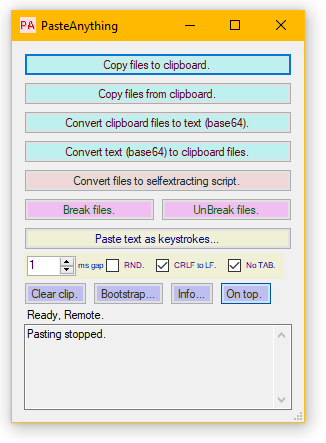
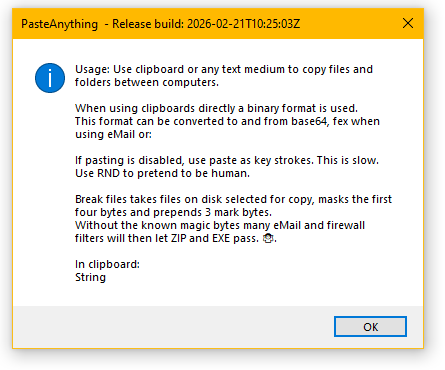
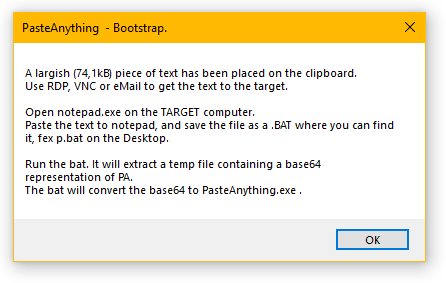
Get any data anywhere you can get text: Paste in RDP or VNC, eMail, batch file...
To get PasteAnything.exe to the other end, use Bootstrap and follow the intructions.
Use selfextracting script to embed any file in fex a .bat file. Fex a help.html or an executable that is not expected on target machine.
Bootstrap and selfextracting script can seem CPU heavy, but that is because (some) AV software seem to scan the entire temp file for every line written. If the temp file, P!A, is excepted in AV, the unpacking is fast.
The break/unbreak functions are also used in fex hMail .
Little fun fact: Base64 strings get an extra newline every 50 lines, because the Lotus Notes mail system had/have a limit on paragraph length.
PasteAnything35.exe is build to .NET 3.5, and will work on XP/S2003.

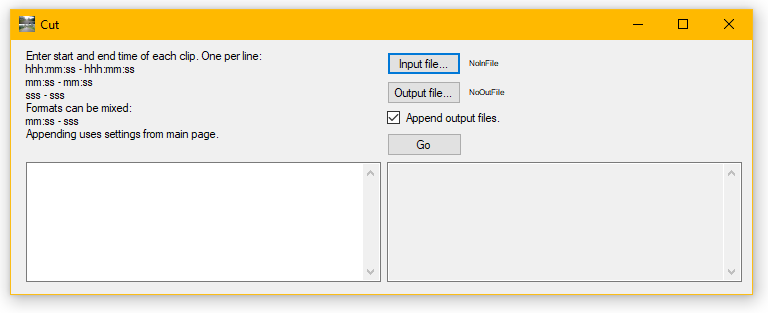
Front for FFmpeg  .
.
Example uses: Set two videos side by side, rotate, cut.
Very fast when only demux-mux is needed, such as with appending and cutting.
And faster for me to program the few things I needed, than learning to use
Kdenlive  .
For some work HandBrake
.
For some work HandBrake  is a good option.
If output is .gif: Keep it smaller than 2GB.
hFFMPEG, Henning Olsen, Release build: 2026-04-02T09:57:55Z
Commandline front for ffmpeg for scheduled conversion.

InputFolder:FolderName
SubFolders                       Include subfolders.
InputFilter:String               Fex *.wma . Default *.* .
OutputFolder:FolderName          Subfolders are created as in input.
KeepTimestamps                   Use input files time on outputfile.
OutputAudioRate:NumberUnit       Fex 192k .
OutputVideoRate:NumberUnit       Fex: 2048k .
VideoSize:WxH                    Default: Same as input.
OutputType:String                Fex mp3 . Note no leading dot.
KeepOriginalExtension            Fex when converting SWF to GIF in old website.
LogFile:String                   Default log.log in current dir.
RecodeExisting                   Default is to skip existing output files. Given this, files are overwritten.

FFMPEGExe:String                 Pathname for ffmpeg.exe . Default is ffmpeg.exe, so have it in %path% or current dir.

https://ffmpeg.org/    -    Download the static build for Windows and unpack.
A front for FFMPEG as above.
I keep music in a lossless format on a home server, and run hFFMPEG from WatchFileEvents (or use SchTasks) to generate lossy WMA and MP3 for smaller devices.
Why use FFMPEG from the commandline and not as a library directly? My use of FFMPEG started with .bat files, so this was a natural continuation for these small tools. Also, using non-.NET code from .NET is plenty "fun" with something stable and well documented as WIN32. But something open source with Linux as the primary target?

Hangs around top of screen and shows hostname and username. Moves when mouse enters. Yellow when local, blue when remote.
Sets itself to autostart.
(Yes, I have the taskbar at the screen top, near were applications tabs also are. Makes for less mousing around.)
To uninstall an older version that was script installed for all users, run this script:
@echo Run as admin!
taskkill /im serverinfo.exe
hwaitfor.exe processstopped:serverinfo.exe
rd /s /q "%ProgramFiles%\Hennings\ServerInfo"
del "%ALLUSERSPROFILE%\Start Menu\Programs\Startup\serverinfo.lnk"
@pause
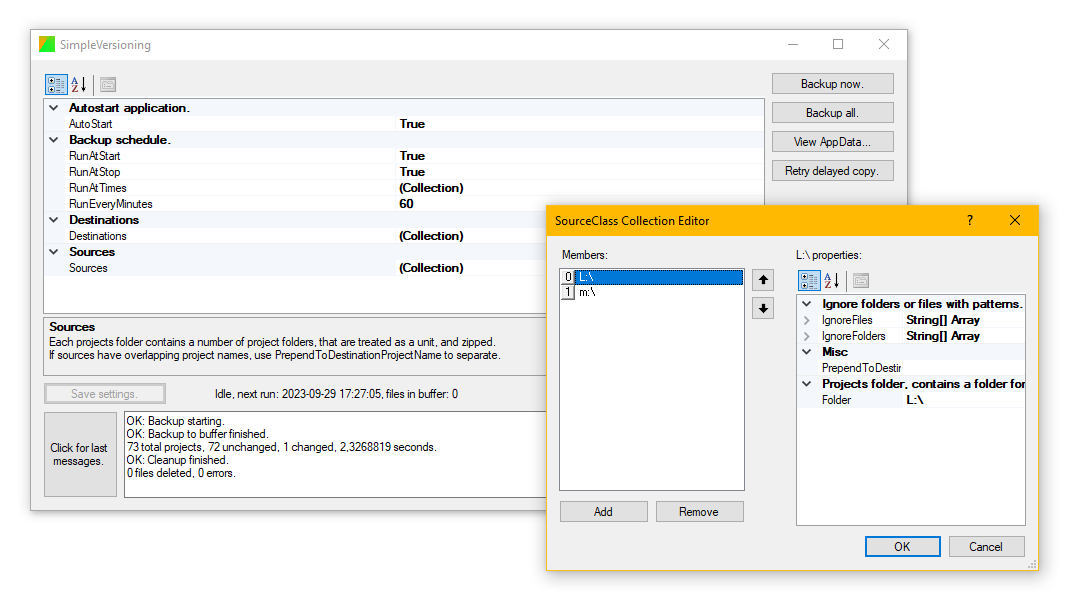
What it says. Always runs in the background.
Sources are folders where subfolders are seen as a unit. Fex Visual Studios projects folder or OpenSCAD drawings.
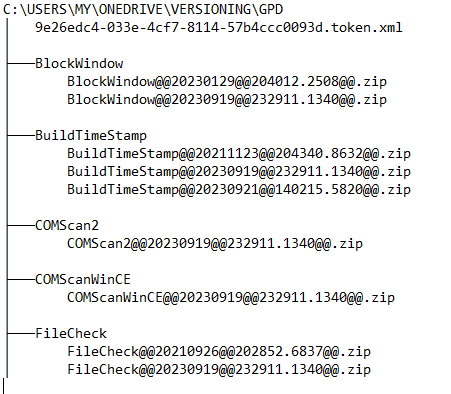
Destinations are folders where backups are kept zipped. See next image below.
Zips are kept in local buffer, until its destination is available. Each destination has its own cleanup rules. I keep a short backup on OneDrive and an unlimited on a home server.
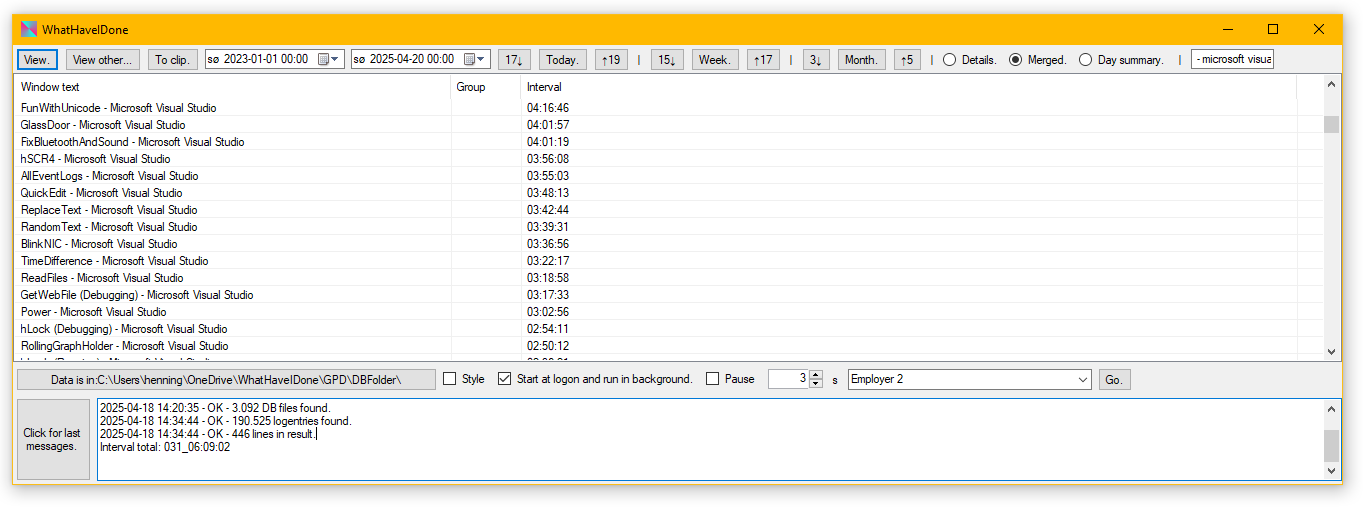
Automatic diary. Runs in the background. Helpful for ideas for the timesheet.
Or when trying to remember where you got to in a video: In VLC  Settings find "Change title according to current media" and set it to "$F $I $C $T". See VideoLAN Documentation .
SharedBatteryZip.exe or SharedBattery.zip
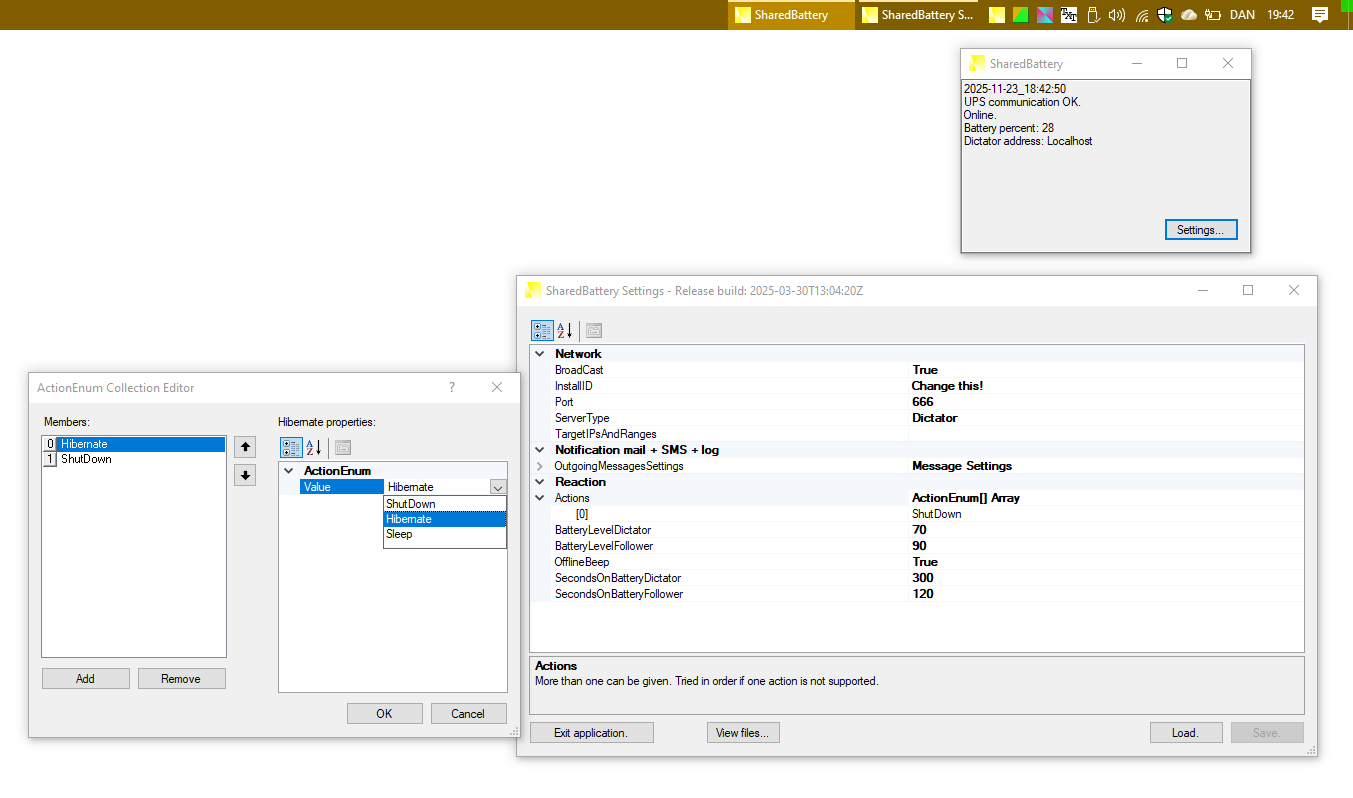
If you have a (small) UPS that supplies power to more than one PC, and it connects to one PC with USB (or possibly RS232) and presents itself as a battery to Windows, you can use this to distribute UPS/battery status to the other PCs.
Any number of UPS groups can be in a network if InstallIDs are unique.
There are two parts installed on each PC. A GUI for settings and quick status, and a service to read UPS and control shutdown etc. Service also logs status.
Install with .bat and set (inbound) firewall rules.
In my network an always on low power matchbox server (Atom 1,6GHz 1GB  ) is the Dictator. If there is no Dictator broadcasting, Followers take no actions, but there will be a warning in log and GUI.
Mail will have the following headers (View Source) for easy filtering in your mail system:
PathManage - Henning Olsen - Release build: 2026-04-02T09:58:54Z
Used to manage the %path% variable from the commandline.
Any number of the switches can be used:
Prepend:Path             Add new Path to front of %path%.
Append:Path              Add new Path to back of %path%.
Delete:Path              Delete Path from %path%. Case insensitive. Trailing \ is ignored.
Clean                    Remove duplicates.
Target:User or Machine   Default:User. Only one target at a time.
Duplicate entries are removed.

Current paths:
C:\Program Files\LazyCat\Tools
C:\Users\henning\OneDrive\SW\ffmpeg\bin\
Typical use is in installation scripts.
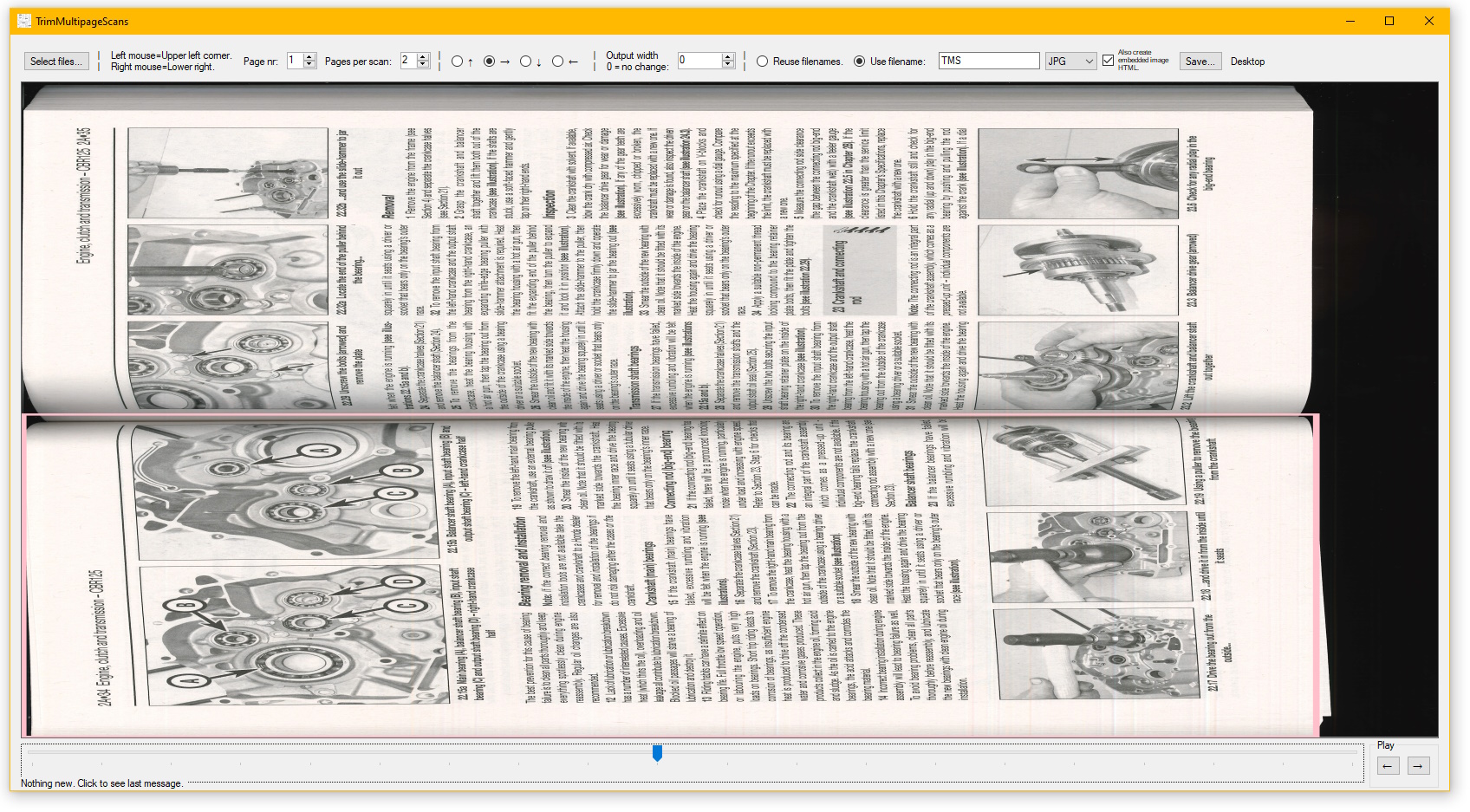
Process scanned books. From one or more files like:
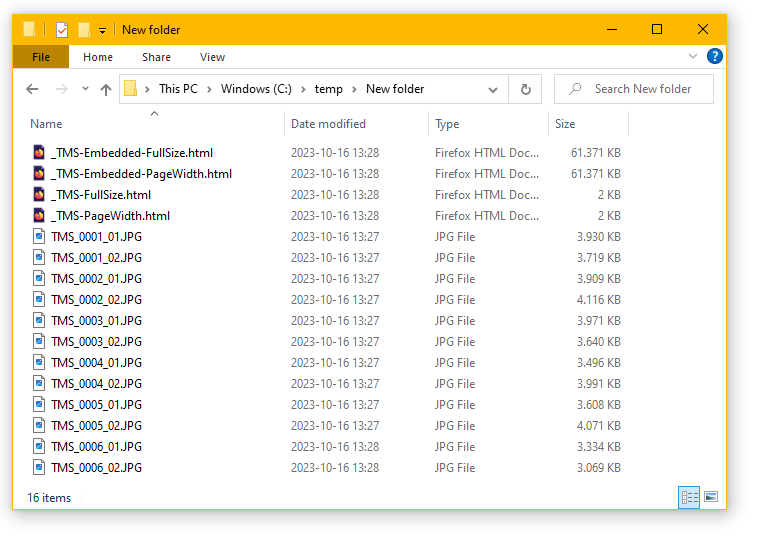
To:
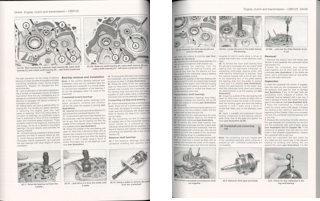
Also creates html files for viewing and printing (HTML files have pagefeeds when printing (Tested with Firefox Save to PDF, and Firefox + Microsoft Print To PDF).)
Embedded image HTML is portable as single file. This fex makes it viewable with mobile browsers, that restrict filesystem access. More info under: HTMLEmbed .
(2024-09: Just noticed the browser on a test i-🍏 fails on largish files. But Firefox  on /e/OS
  and Edge on a WP10 Lumia 650
  are OK.)
Example outputs:
ReplaceText - Henning Olsen - Release build: 2026-04-09T11:34:36Z Switches: HexEncoded, *after* this switch, content of ReplaceX and WithX is read PE fex *0D*0A for newline. ReplaceX:String, string to replace. X can be any string linking a Replace and With pair. WithX:String, with this string. Replacing is done in order of Replace. RFileX:FileName, filecontent to replace. WFileX:FileName, with this file. Replacing is done in order of Replace. InsertBR, replace CRLF with <br> . Must be followed by ReplaceHTML. ReplaceHTML, replace < > " & ' with < > " & ' . Done last. IgnoreCase, default is case sensitive. FileIn:Pathname FileOut:Pathname FileOut and FileIn can be the same. Thankyou for that MS!: If a double quotation mark follows two or an even number of backslashes, each proceeding backslash pair is replaced with one backslash and the double quotation mark is removed. If a double quotation mark follows an odd number of backslashes, including just one, each preceding pair is replaced with one backslash and the remaining backslash is removed; however, in this case the double quotation mark is not removed. So if fex you want replaceA:G:\Data\ you must write replaceA:G:\Data\\
Example use is the script building this page: Modified time and filelist are inserted with RT.
Another has been modifiyng autogenerated GB sized SQLCMD scripts during migration.
                         TCPSling - Release build: 2026-05-22T16:04:34Z - Copyright 2011 - 2026 Henning Olsen

Forwards TCP connections to another host or serial port.

lp:listenport        Incomming port.
li:listen IP         Default is all available netcards.
si:source IP         Multiple can be defined. Tried in order. Default is all available netcards.
sn:source NIC name   Multiple can be defined. Tried in order. Default is all available netcards.
ll                   Allow link local addresses.
ta:target            Hostname or IP.
tp:targetport        What it says.
to:timeout           [s] Timeout to drop connection. Default 60s, minimum 1s.
th:maxbps            [bits/second] Max bitrate. Default is no throttle.
minthreadpool:2000   Minimum threads in pool. Default 2000.
lf:logfolder         Logfiles foldername.
db                   Debug logging.
nocolor              Do not color console output.
noconsole            Do not output to console.
ifp:IP filter part   Allow any IP starting with this. Default is any. Multiple can be defined.
iff:IP filter full   Allow this IP. Default is any. Multiple can be defined.
cp:controlport       Port to connect to with password. (Telnet or webbrowser.)
pw:password          Password to add client IP to allowed list. Multiple can be defined. Should not start with 'get ' or 'head '.
pt:password TTL      [minutes] Password timeout. Default one day.
n6                   Do not listen on IPv6. Ignored when LI is defined.
n6t                  Do not resolve target to IPv6.
n4t                  Do not resolve target to IPv4.
df:dumpfolder        Folder where transferred data is dumped. 1MB txt and session long bin files.
http                 Act as http proxy. Https and other protocols by CONNECT command. No UDP
httpblock:domain     Block connection to domain. Uses wildcards, see hSearch help. Multiple can be defined.
httpblockall         Block all connections except allowed.
httpallow:domain     Allow connection to domain. Uses wildcards, see hSearch help. Multiple can be defined. Allow wins over block.
sename:COMName       SerialPort name. If name is blank any existing port is tried at random on connection.
sebps:speed          SerialPort speed in bit per second. Default is 9600.
sedb:databits        SerialPort databits. Default is 8.
sepb:paritybits      SerialPort parity. Even, Mark, None, Odd, Space. Default None.
sesb:stopbits        SerialPort stopbits. One, OnePointFive, Two. Default One.
sefc:flowcontrol     SerialPort flowcontrol/handshake. None, RequestToSend, XOnXOff, RequestToSendXOnXOff. Default None.
sedtrenable          SerialPort DTR Enable.
sertsenable          SerialPort RTS Enable.

Serial ports available: COM2 COM11 COM12

Possible exitcodes:
Planned: Encrypted traffic connected back to back and connect by http proxy.
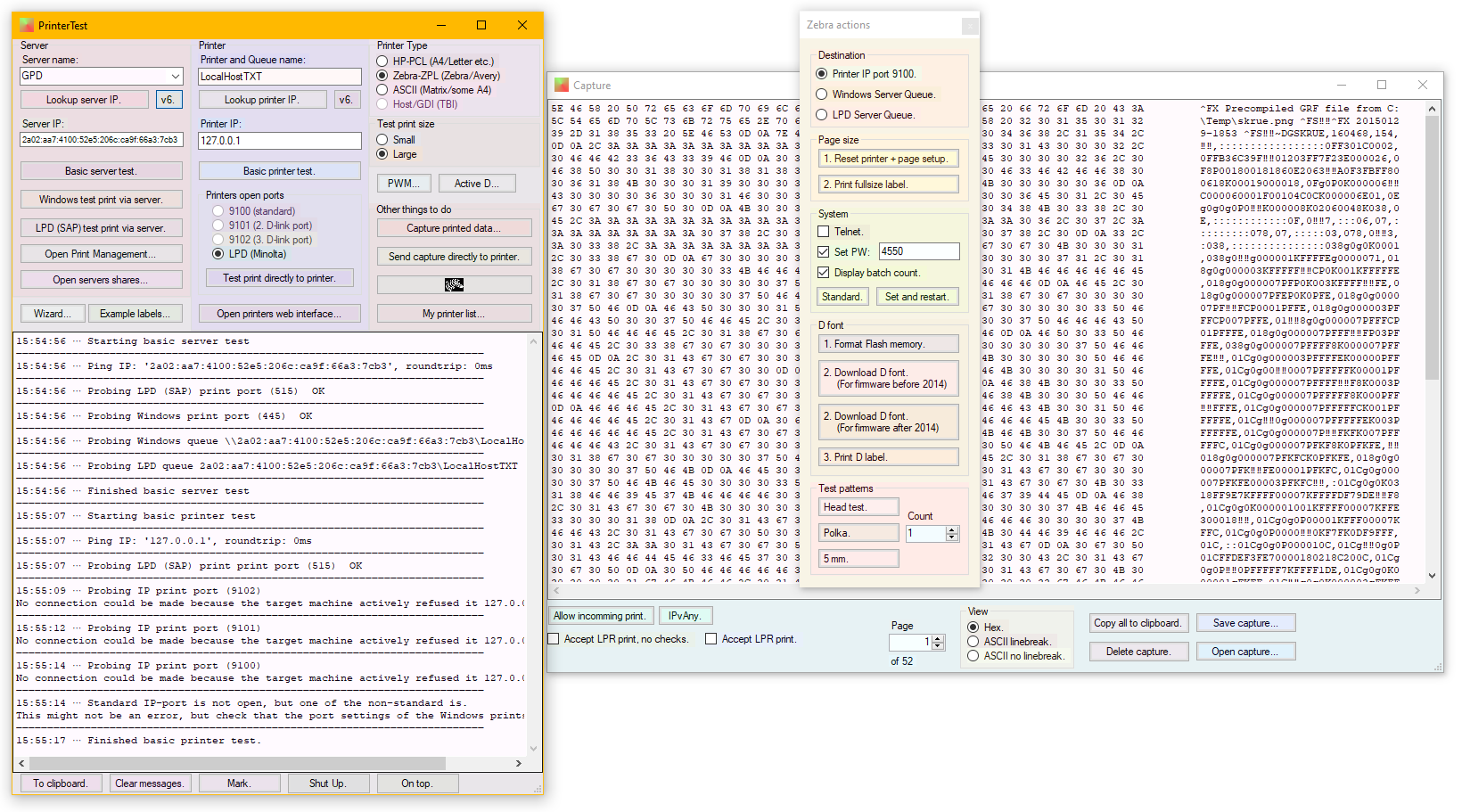
Used when managing printers; batch update; setup Zebras; fault finding: What was sent to a printer, where in the chain did the job get damaged.
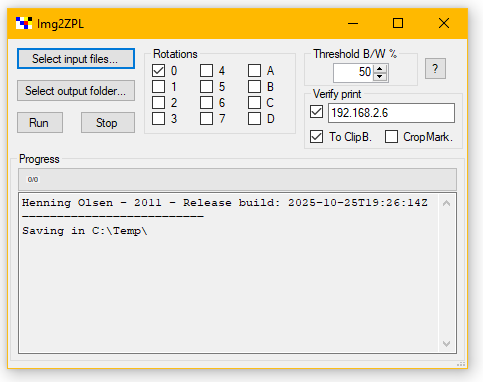
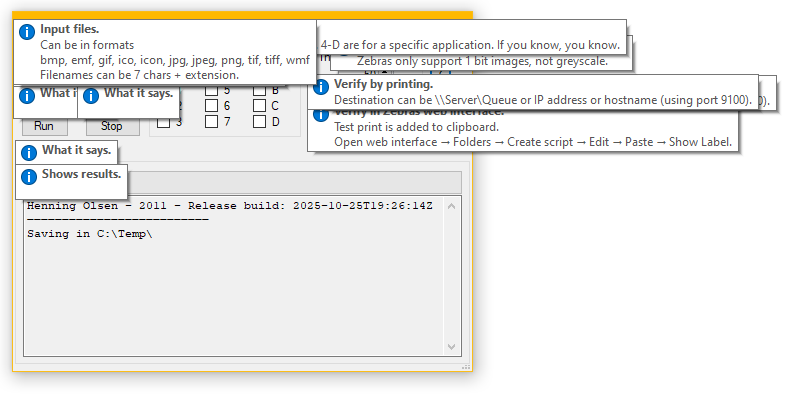
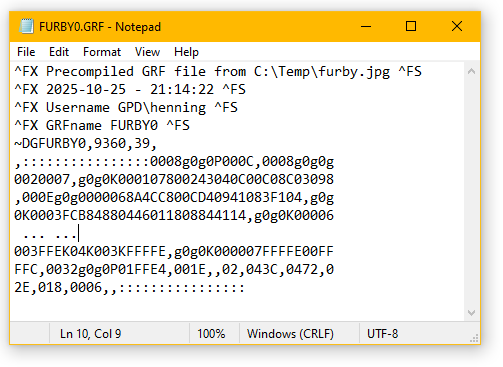
Converts any image to a format that Zebra printers can understand. Images can then be used in own label designs. Known to work on printers (would depend on firmware) from ~2000 to 2023.
I have used it for my own label applications, including the conversion code to dynamically create label images. And it was used for label content to be printed from a wellknown ERP system. Hence the rotation options.
(I think this is the only application I ever made, where a '2' replaces 'To' in the name. Have annoyed me for a long time.)
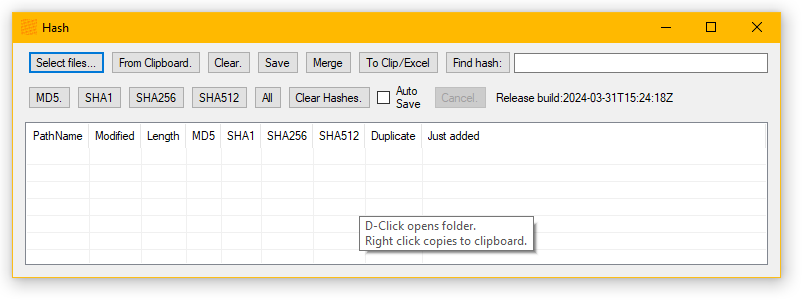
As per image. Can save and load/merge results for later comparison. Merge can be done with OpenWith→ChooseAnotherApplication.
Also works from the commandline:
    Hash - Henning Olsen - Release build: 2026-06-09T12:26:12Z

Single argument opens GUI with argument loaded as file.

File:PathName           Add file to list.
SubFolders              Must come before Folder:.
Folder:PathName         Add files in folder to list.
OutFileXML:PathName     Internal .hashlist format.
OutFileTSV:PathName
MD5
SHA1
SHA256
SHA512
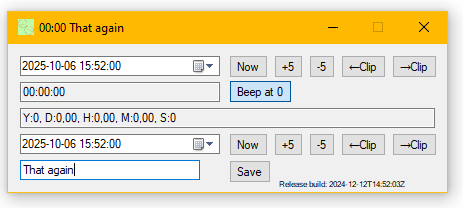
Calculate time, use as kitchen timer, any instance Saved will autostart at next login.
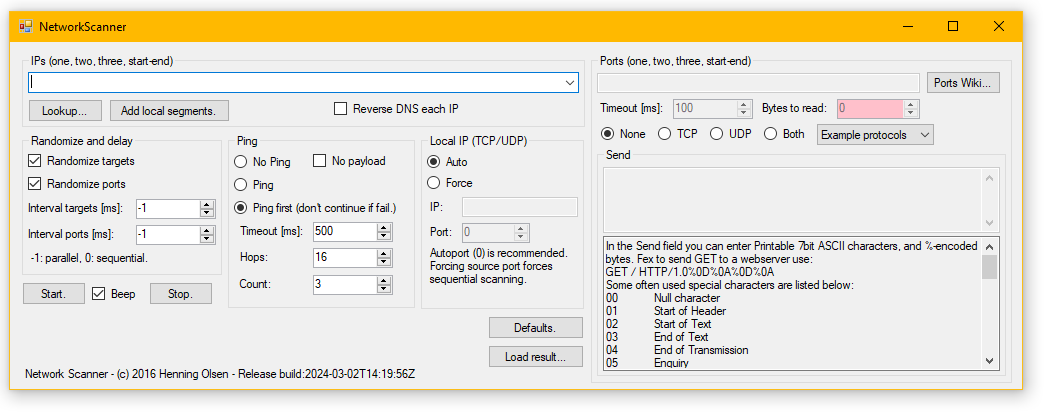
Nothing special, except maybe the randomizing of targets.
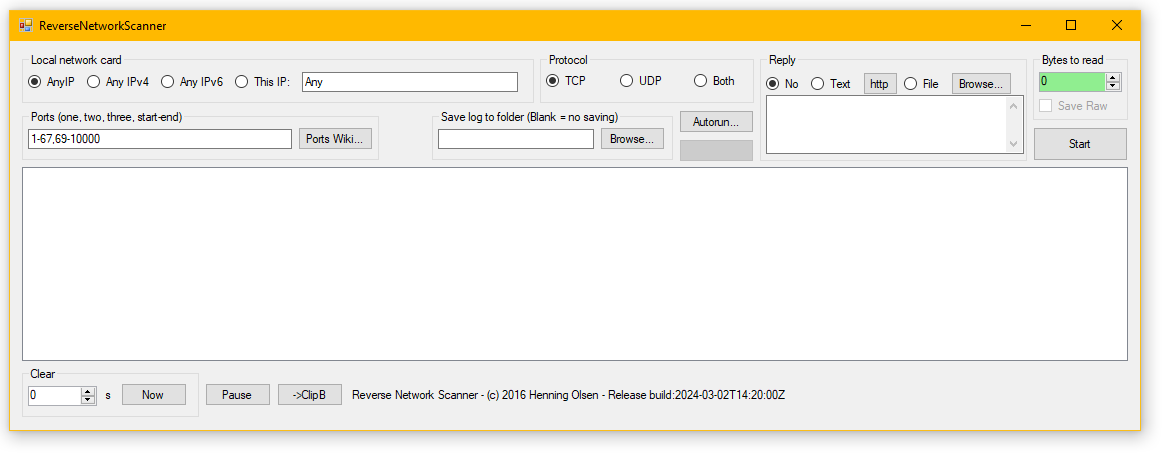
Did the FW team do what they said? Use this to see if TCP or UDP gets through, possibly before the HPCs get to install their applications.
Lost a device due to misconfigured IP? Setup in the same network or better direct connection, and listen for noise from the device and note its IP.
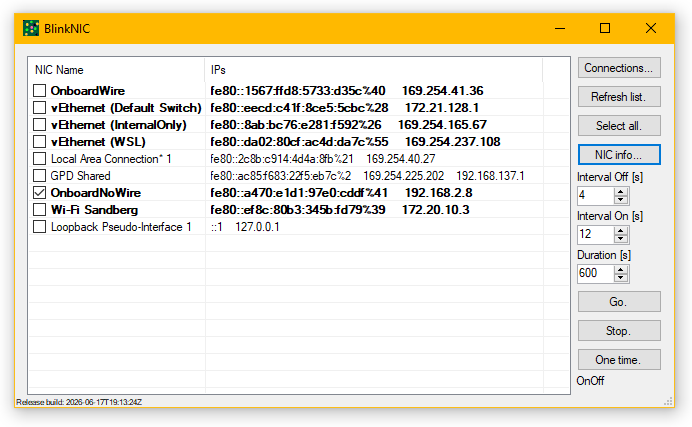
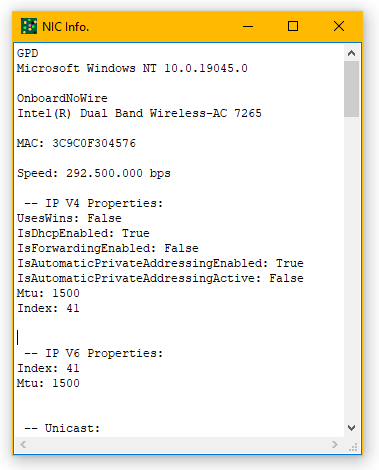
Blinks NICs off and on, so its patch is easy to find at the switch. Or use 'One time.' to 'restart' NICs.
But I have this network tool with ID plugs!
And you always lug that around? Or have never dealt with a server with multiple NICs (numbering is always different between HW and OS)?
Power - Control machine and monitor power - Henning Olsen - Release build: 2026-04-02T09:58:57Z

Lock
LogOff
Disconnect
Shutdown
Restart
Hibernate
Sleep
DisableWakeEvents - Used with Hibernate and Sleep
MonitorOff
MonitorOn
Delay:Seconds or Delay:mm:ss or Delay:hh:mm:ss .
More than one command are done in order.
Control machine- and monitor-power from scripts.
If fex an installation needs a restart to finish but you want to leave the machine off or in sleep use: RestartAndSleep.bat.
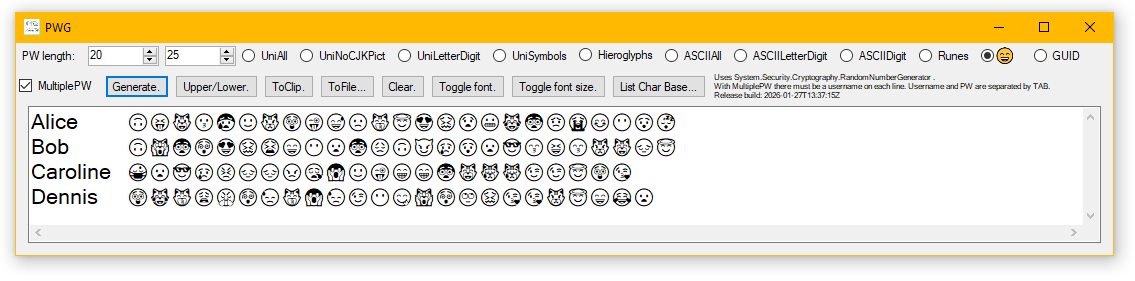
Password generator. Loved by web devs that think they handle unicode. And users. Users love it.
    FolderCompare - Henning Olsen - Release build: 2026-04-02T22:05:56Z

    Compare files in a number of folders.

Folder:Name               Multiple folders can be given.
FilePattern:*.*           Default *.* .
ExcludeFile:Name          Exclude files with this exact name. Fex desktop.ini and thumbs.db .
ExcludePartFile:Name      Exclude files with this in the name. No wildcards
ExcludeSmallFiles:bytes   Exclude files smaller than bytes.
SubFolders                Include subfolders.
File:Name                 Specific files to compare.

CName                     Compare file name.
CPathName                 Compare file relative pathname from root folder. Use with multiple folders.
CModified                 Compare file modified timestamp.
CModifiedRelaxed          Compare file modified timestamp relaxed, +/- 5 seconds.
CSize                     Compare file size.
CHash                     Compare file hash. Default SHA512.
SHA1                      Use SHA1 hash. Might be faster on older CPUs.

ResultFile:Name           Output result to Name-diff.TSV and Name-equal.TSV and Name-errors.TSV .
ListOnlyDiff              Only list differences.
ListOnlyEqual             Only list equals.
    If result is too much to show on console and no ResultFile is specified, ResultFile(s) will be saved in %Temp% .
    If runtime is longer than 20s, beep when finished.
Compare files in a number of folders, by a number of properties.
Antivirus SW can drastically slow down hashing, as it scans files being read.
Comparing a list of n files takes n * (n - 1) / 2 comparisons. 100 files is 4.950, 1.000 files is 499.500. 10.000 files is 49.995.000.
ReadFiles. 2022 Henning Olsen.
Release build: 2026-04-02T09:59:20Z

Does nothing but read files.
Before reading, the found files are sorted in the current language by pathname.

Folder:Name....One or more rootfolders.
File:Name......One or more files.
Subfolders.....Include sub folders.
LowMem.........Use smaller read buffer.
Slow...........Insert pause between buffers. Includes LowMem.
OpenOnly.......Only open files, do not read data. Can be used with OpenWrite.
OpenWrite......Open file with write access. Used for access test, no write is done.
Log:PathName...Appends to existing.
May seem silly. Example uses: Read all files on storage disk to trigger errors to SMART or check access errors.
SpotDynDNS - Henning Olsen - Release build: 2026-04-02T09:59:50Z

Domain:DomainName            The domain to test.
Port:Number                  TCP Port to test. (This port may need NAT forwarding in router to this host.)
Timeouts:ms                  Timeouts for connections, default 4000.
CommandProcess:String        Command to run at start and when connection fails.
CommandHTTP:String           HTTP URL to call at start and when connection fails.
CommandHTTPTimeout:s         Timeout for HTTP command.
IgnoreCertErrors             To force IPv4 or 6, URL is reformatted with IP, which means HTTPS usually fails.
IPVersion:Verson             Both, V4 or V6. Default Both.
CheckInterval:Seconds        Time between connection test. Minimum 10, default 60
UpdateInterval:Seconds       Minimum time between running commands. Minimum 60, default 900.
UpdateAnyway:Hours           Update regardles of succesful connection to keep account active. Default 240.
LogFile:PathName             Default no logging.

Remember "" around switches, CMD splits on &.

With dynamic IPv6 you should set:
netsh interface ipv6 set privacy state=disabled
to disable temporary addresses.
Updates DynDNS service when [router outside] IP changes. Should be run in SchTasks with a minimal user.
At every CheckInterval a TCP connection is tried to DomainName:Port. SpotDynDNS listens on the port with a handshake. If connection fails, it is assumed IP has changed, and one or more Commands are executed to update DynDNS.
(I have used dyndns.dk  since about 2000.)
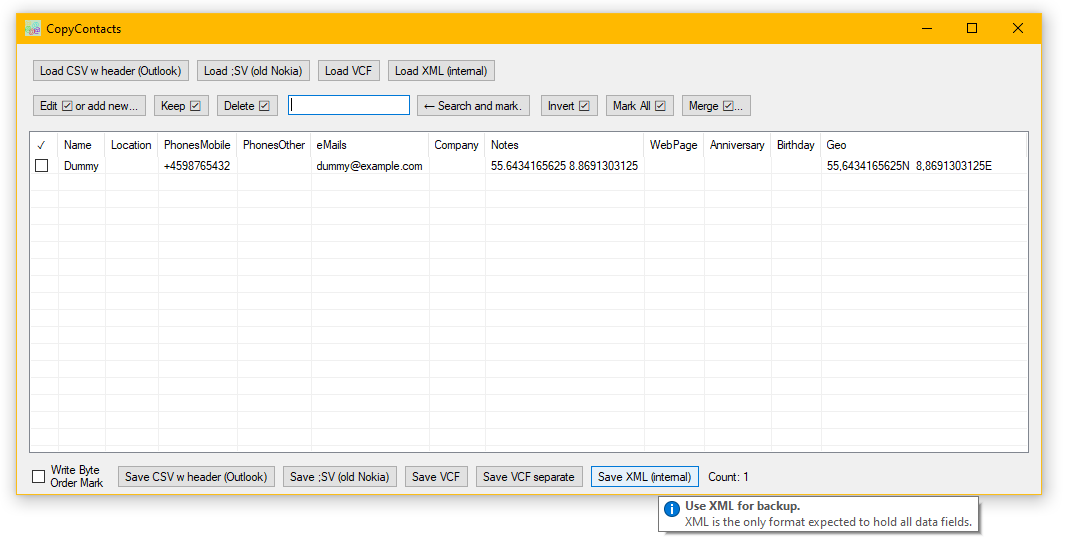
Copy, filter, edit and merge contact lists. Convert between formats, CSV (Outlook), Nokia and VCF/vCard (Android/Thunderbird/etc).
CSV could work for other applications as well.
(I think desktop Outlook fell over when importing non-ASCII, but that could have been the en-US deployment, and I cannot check now, nor do I really care. OWA was and is fine.)
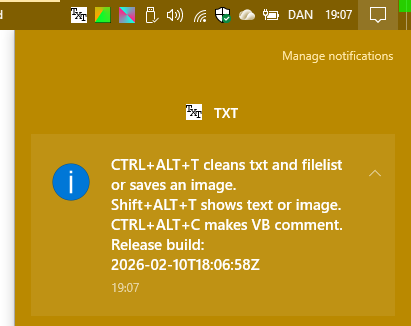
When started it will hang around in the Systemtray.
Clicked it will take the content of the Clipboard and:
Text will be returned the the Clipboard with formatting removed.
List of files (marked for copy in Explorer) are returned as text list, fex:
L:\TXT\TXT\bin\Release\TXT.exe
L:\TXT\TXT\bin\Release\TXT.exe.config
L:\TXT\TXT\bin\Release\TXT.xml
If the Clipboard contains an image, you will be asked for a file name to save it.
If right-clicked the result will also be shown (image is not saved).
If middle-clicked text is made into VB comment.
HotKeys: CTRL + ALT + T = LeftClick, Shift + ALT + T = RightClick, CTRL + ALT + C = MiddleClick.
SetBasePriority. (c) Henning Olsen 2014. Release build: 2026-04-02T09:59:35Z

    Arguments:

"Interval:Seconds" Default 60.

 If a process cannot be accessed, its ID is ignored for 10 intervals, error message is written to console.

"ProcessName:Priority"
 Processname is not case sensitive.
 Do not include .exe in processname.
 If ProcessName starts with * it is considered partial.
 More than one processname can be given.

OneRun    Exit after first round, do not keep running.

 Don't forget to enclose arguments in "" if they contain spaces.
 Run as admin to touch other sessions.

    Examples:
SetBasePriority.exe *ServiceHub.:BelowNormal interval:10
SetBasePriority.exe noTepAd.exe:idLe

    Priorities:
 Normal
 Idle
 High
 BelowNormal
 AboveNormal
    https://learn.microsoft.com/en-us/dotnet/api/system.diagnostics.processpriorityclass

    Possible exitcodes:
Defaults to hang around and sets priority for given processes.
Run from SchTask with elevated account as needed.
Example uses have been non-cooperating server applications with equally non-cooperating vendors.
Or the work PC where AV scans would make the MP stutter the music: Increase priority for MP.
And I use SetBasePriority.exe *ServiceHub.:BelowNormal interval:10 , to speed up the rest of VisualStudio... 🤷
Another VS speed up is, after updates, to run C:\Windows\Microsoft.NET\Framework64\v4.0.30319\ngen.exe executeQueuedItems . See comments in NGenLazyCatExes.bat.
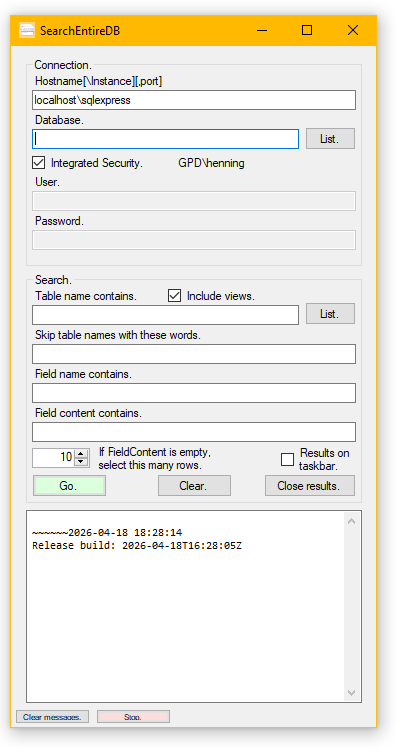
Use when trying to understand some applications undocumented DB. Start with a bit of data you know is there and related to what you want, and follow the relations.
Why not use a mapping tool? Sometimes that is too much or not available. Or you get a DB with 450 tables and no foreign keys.
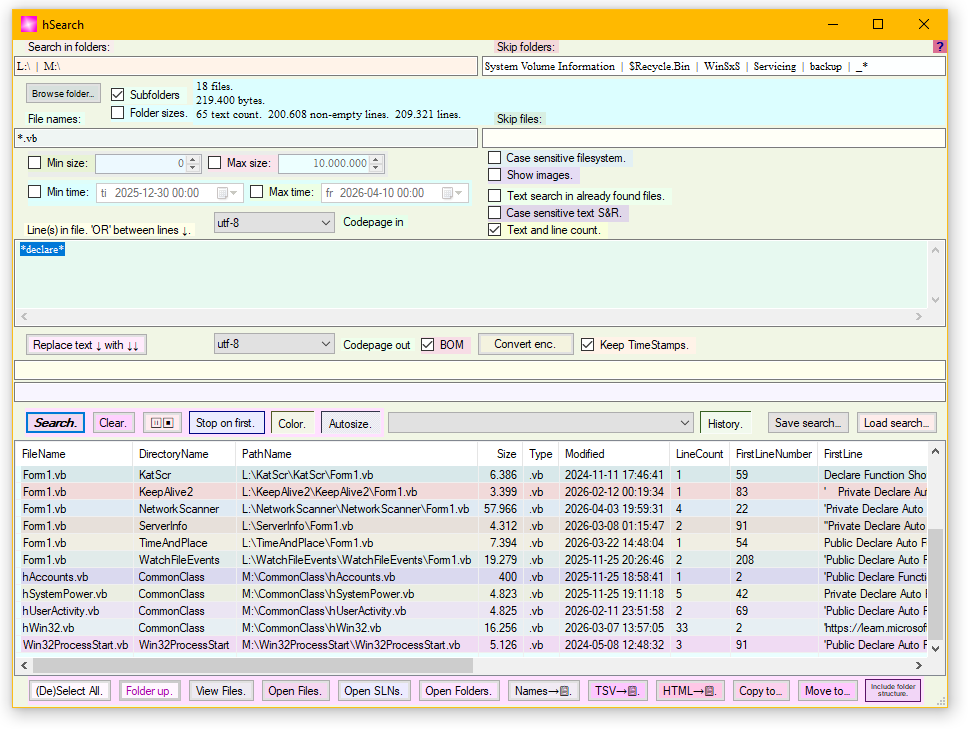
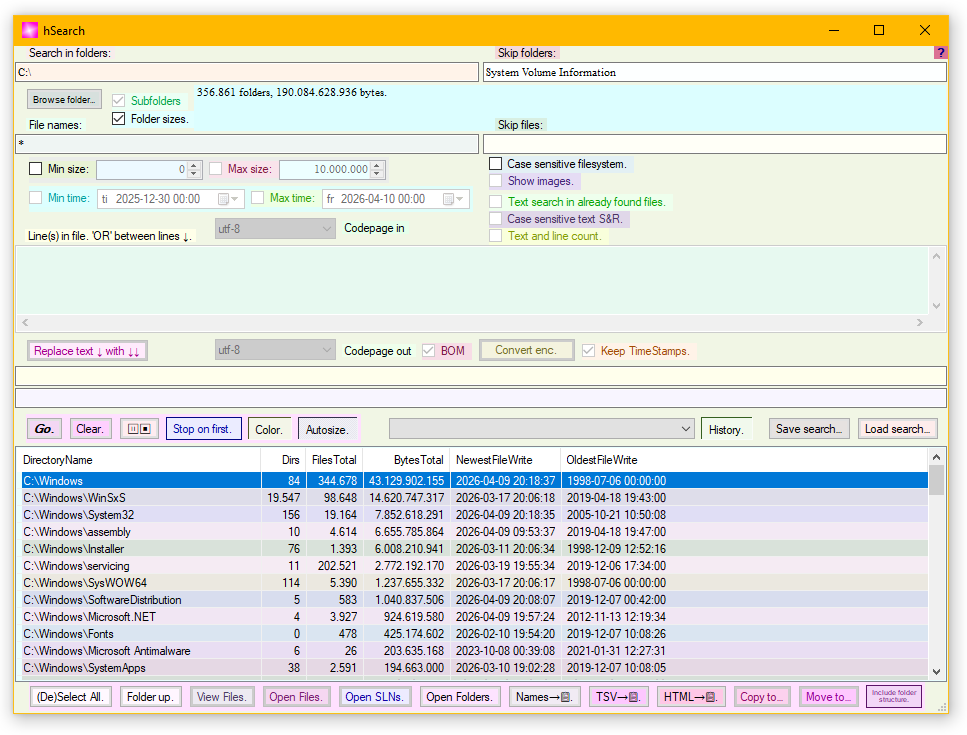
Search. Search and Replace. Encoding aware. Convert between encodings. Find big folders.
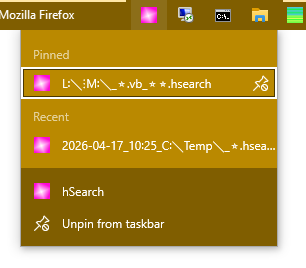
Open Search can be done with OpenWith→ChooseAnotherApplication. If doing this, a new search can be started from the Start Menu: Click Clear, setup search, Save search and open the file once from Windows. Or just use History.
Irritates me less than Windows search. Since XP...
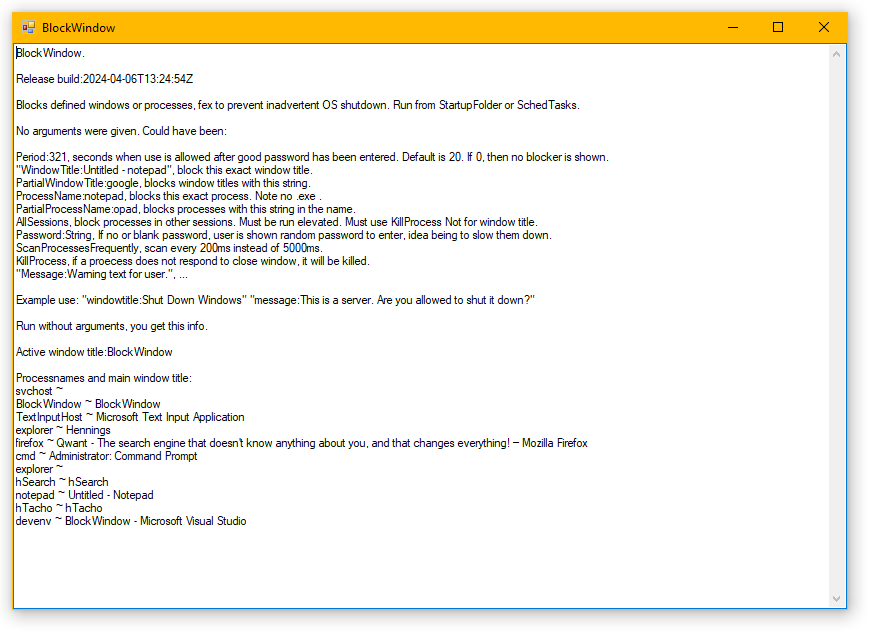
Blocks specified processes or windows.
As stupid as it reads; one important use was blocking users from shutting down terminal servers. Users that were admins because the server owner did not want to deal with the applications vendor, so it could work with limited accounts.
Or fex keep intrusive things down: blockwindow.exe processname:RUXIMIH processname:OfficeClickToRun processname:msedge partialprocessname:oobe killprocess period:0
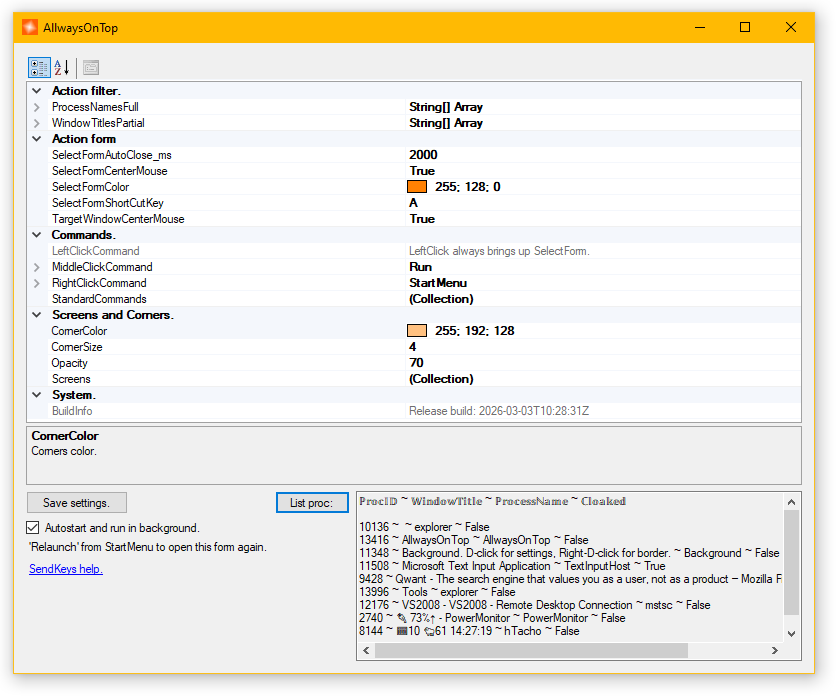
Example use is when working with Remote Desktop in full screen. Keeps "Corners", the little squares
Client→
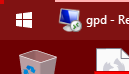 Client view of server→
 Server→

always visible, that when clicked brings up
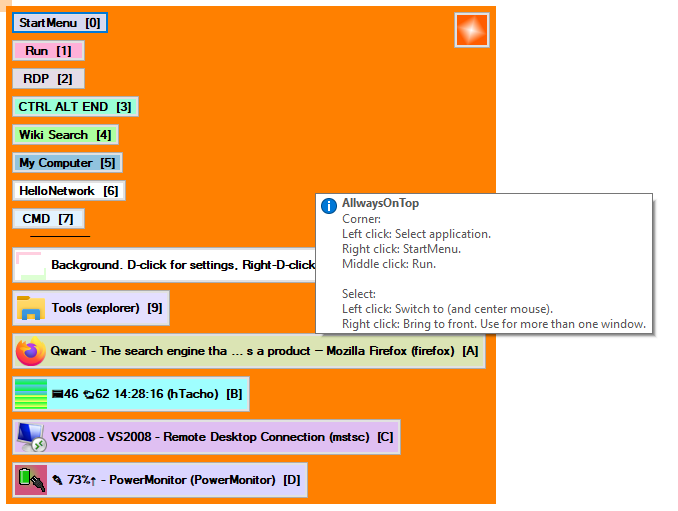
that let you chose another application on client or server.
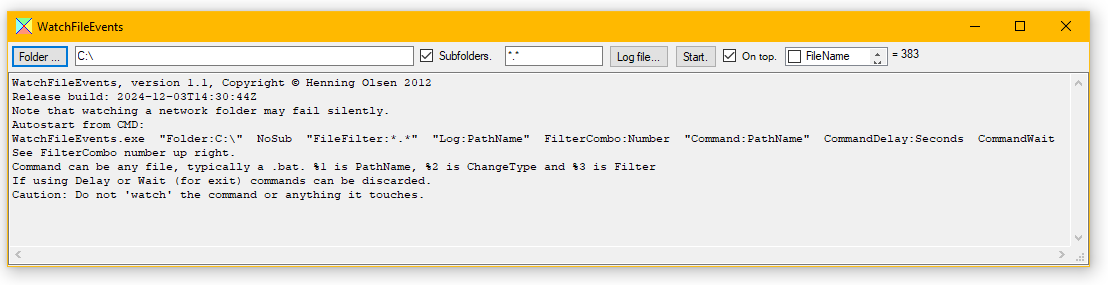
Run As Admin if you want to see what fex installers or Windows are up to.
I also use it to trigger actions, fex to run hFFMPEG when the sources changes.
    GetWebFile. Henning Olsen 2014-2026. Release build: 2026-08-31

Arguments:
"GetFile:fileurl" - Can be http, UNC or local.
"SaveFile:pathname"
"GetFolder:folderurl" - Can be http, UNC or local.
"SaveFolder:pathname"
"SubFolders" - Include subfolders.
"ListOnly" - Only list source files.
"CreateEmptyFiles" - Downloads first block, but does not save content.
"SaveIndexFiles" - Save 'invisible' index files; URLs ending in / .
"Timeout:seconds" - Default 5.
"Time" - Prepend timestamp.
"Overwrite" - Overwrite savefile.
"RenameOldFile" - Append -GWF_Renamed- & existing modified time to existing file.
"SkipSame" - If length and modified time are the same on existing file: Do not download.
"TimeAllow:ms" - When comparing modified time allow this difference. Default 2500ms.
"SkipGWFFiles" - Skip temp and renamed files in GetFolder. Fex when twoway syncing.
"SkipNewer" - Skip newer files in SaveFolder. Fex when twoway syncing.
"Accept:String" - Default */*
"UserAgent:String" - Default GetWebFile .NETframework
"UserAgentFF" - Pretend to be FF: Mozilla/5.0 (Windows NT 10.0; Win64; x64; rv:153.0) Gecko/20100101 Firefox/153.0
"Referrer:String" - Referrer, default nothing.
"SkipProxy" - Connect directly, do not use system proxy.
"ProxyHost:hostname" - Use this proxy server.
"ProxyPort:80" Use this port with ProxyHost.
"IgnoreContentLength" - At least one server somewhere returned 0 length.
"IgnoreCertErrors" - Fex selfsigned certs.
"Debug" - Show more info.
"Retries:count" - Retries per file. Default 0, -1 = forever.
"RetryDelay:seconds" - Default 60.
"Watch" - Watch for changes on source file or folder.
"WatchAge:Seconds" - The minimum time to wait to copy after a change. Default 10s.
"WatchRestart:Minutes" - Restart watch after time. Watching networked file/folder can fail without error.
"WatchWebInterval:Seconds" - Interval for polling webserver. Default 1h.
"LogFile:PathName" - Log errors here as well as console.
"NoNoise" - Do not list every file on the console. This can speed up processing many small with little to copy.

Don't forget to enclose arguments in ""

If an error happened, *.GWF_Temp files could be left in destination.

ExitCode is 0 when no errors are logged.
Copies file or folder from http, UNC or local.
RenameOldFile is useful when the file is locked/InUse or in a backup script where old versions in backup should be kept. This function, I believe, is missing from RoboCopy.exe?
Example twoway sync:
START    GetWebFile.exe    "GetFolder:\\Server\Share"    "SaveFolder:T:\Sync"    SubFolders    SkipSame    SkipNewer    RenameOldFile    SkipGWFFiles    Watch    WatchAge:20    WatchRestart:1440
START    GetWebFile.exe    "GetFolder:T:\Sync"    "SaveFolder:\\Server\Share"    SubFolders    SkipSame    SkipNewer    RenameOldFile    SkipGWFFiles    Watch    WatchAge:20
        GroupFiles - Henning Olsen - Release build: 2026-10-26
    Group files into new folders (copy or move) based on timestamp 'Last Modified', file size or numbers in file name.
    Times are local, not UTC.

Commandline options:

   File selection:
Source:                   A:\From Here
SubFolders:False          Include subfolders.
FilePattern:*.*           Standard Windows.

   File destination:
Destination:              B:\To Here
AppendNumber:False        If destination file exists then append file number, else stop operations.

   Group by last write:
Interval:330              Interval between two files in seconds larger than this: New group.
TODStart:00:00:00         Time Of Day Start. 00:00:00 - 1.00:00:00.
TODEnd:1.00:00:00         Time Of Day End. 00:00:00 - 1.00:00:00. This one interval starts at TODStart.
TODInterval:1.00:00:00    Time Of Day Intervals. 00:00:00 - 1.00:00:00. Intervals start at TODStart, run 1 day and then repeats.
Minute:False              Group by minute.
Hour:False                Group by hour.
DayOfWeek:False           Group by day of week.
DayOfMonth:False          Group by day of month.
Week:False                Week of the year. Different countries count weeks differently.
DayOfYear:False           Day of the year.
Month:False               Group by month.
Year:False                Group by year.

   Group by name:
NumberInNameInterval:1    Takes digits from name (not .ext) and groups by the combined number.
Extension:False           Group by extension.

   Group by size:
SizeInterval:1048576      Group by size in bytes.

   Group by nothing:
Nothing:False             Just get all files in one folder.

   Action:
Show:True                 Only show, no changes. For test.
CreateEmpty:False         Create empty files. For test.
Copy:False                Copy files.
Move:False                Move files, saves space and time if source and destination are the same disk.
TSVFile:                  Save result as TSV file.
Group files into new folders (copy or move) based on timestamp, file size or numbers in file name.
SetAutoRun 2010 Henning Olsen Release build: 2026-04-02T09:59:34Z

Adds "File:Name|Switches" to

HKEY_LOCAL_MACHINE\SOFTWARE\Microsoft\Windows\CurrentVersion\Run or
HKEY_LOCAL_MACHINE\SOFTWARE\Microsoft\Windows\CurrentVersion\RunOnce or
HKEY_CURRENT_USER\SOFTWARE\Microsoft\Windows\CurrentVersion\Run or
HKEY_CURRENT_USER\SOFTWARE\Microsoft\Windows\CurrentVersion\RunOnce

with switch "Machine" or "User" and optionally "Once" .
More than one file can be given.

"MachineDelete" or "UserDelete" will delete entries from either hive.

Machine* requeres admin rights.

Exitcode is 0 on success.
Use in setup scripts.
DateTimeCMD - Henning Olsen - Release build: 2026-04-02T09:57:11Z
Sets variables in Process and User:
hDate, hSecond, hMinute, hHour, hDayOfWeek, hDayOfMonth, hDayYear, hMonth, hYear, hGUID
hDateUTC, hSecondUTC, hMinuteUTC, hHourUTC, hDayOfWeekUTC, hDayOfMonthUTC, hDayYearUTC, hMonthUTC, hYearUTC

Date format: yyyyMMdd_HHmmss.ffff - 20260403_163129.1218
Set environment variables with date and time information. And a GUID.
Yes it works, but as with most things with environment variables, it does not work as you expect.
SetVar 2016-07-08 Henning Olsen
How the hell is this not a builtin function?
https://devblogs.microsoft.com/oldnewthing/20120731-00/?p=7003/

First argument is the variable name
Value:String. Optional. If not given, value is read from stdin (pipe |).
Target:Machine/User/Process. Optional. If not given Process is assumed.

List:. If this is the only argument, all variables are listed.
Sets environment variable from output (piped) of another process.
As above: Yes it works, but as with most things with environment variables, it does not work as you expect.
SetErrorlevel 2016-07-08 Henning Olsen

If one argument is given, it will be parsed to a number and used as exitcode.
If no argument is given, stdin (| pipe) will be read, and it will be parsed to a number and used as exitcode.
If the value cannot be parsed, exitcode will be -1

ERRORLEVEL is not %ERRORLEVEL%, see https://devblogs.microsoft.com/oldnewthing/20080926-00/?p=20743/
Use in scripts.
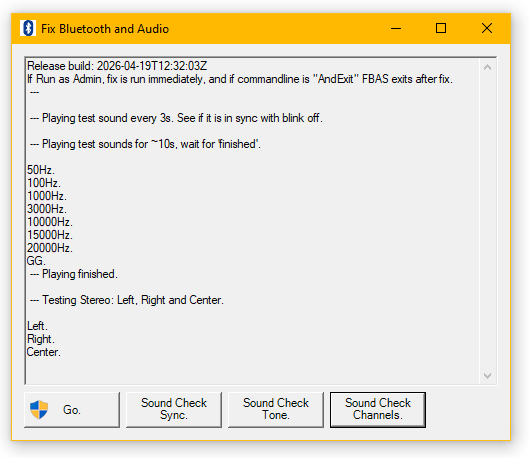
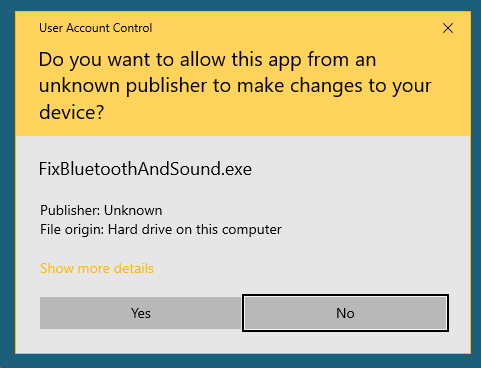
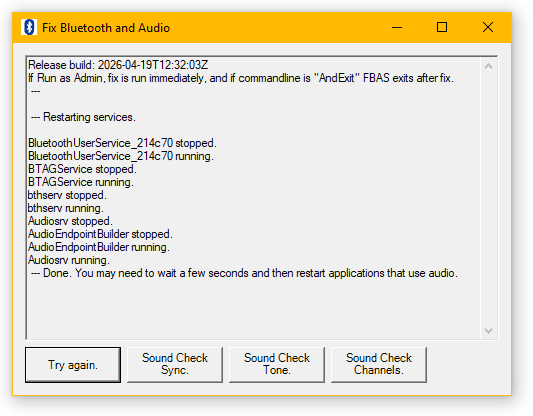
Saved me many OS restarts when using Teams. Teams seemed very happy to change audio patching in Windows, and then complain "Your mic is not working.". I came to prefer using the Teams web application in Firefox...
Use Sound Check Sync, to see if AV is out of sync in the source or Windows/Audio/Bluetooth. The latter can be fixed. (I have a no-wires-at-all  headset, that seem more prone to this.)
Use Sound Check Tone to know if any sound is working. The lower and higher frequencies may not be heard with all hardware or ears.
Use Sound Check Channels to know if sound is going to the correct side, or if the two sides are different.
hMail. (c) Henning Olsen. Release build: 2026-04-02T09:57:58Z

Server:Name or IP
ServerPort:Number, default 25.
UserName:Username for server. Optional.
Password:Password for server. Optional.
SSL, enable SSL.
Sender:eMail address, default username@hostname.net .
To:eMail address, more than one allowed.
CC:eMail address, more than one allowed.
BCC:eMail address, more than one allowed.
If an eMail address contains a space, anything after the space is used as display name, Fex:
someone@example.com Some One
Subject:Text. Optional.
Header:Name:Value, more than one allowed. Name should start with X-
BodyText:Text. Optional.
BodyTextFile:File name. Optional.
BodyHTMLFile:File name. Optional.
File:File name, attach file, more than one allowed. Optional.
Folder:Folder name, attach all files in folder, more than one allowed. Optional.
FolderRecurse:Folder name, attach all files in folder and sub folders, more than one allowed. Optional.
AttachPAZip. Inlines files below BodyText(File) as text in PasteAnything format. BodyHTMLFile is ignored.
AttachZip. Attaches files in one zip.
BreakZip. Used with AttachZip. Masks first 4 bytes of file and prepends 'HO%00'. Use if stupid mail admin blocks zip on signature.
UnbreakZip:File name, reverse BreakZip.
RetrySeconds:Seconds, time between retrying sending, minimum 30s default 300s.
RetryLimit:Times to retry, default 0.

When more than one is allowed use the form: file:file1 file:file2
Don't forget to enclose arguments with spaces in ""
Outlook.com server: "Server:smtp-mail.outlook.com" "ServerPort:587" "SSL"
Send mail from the commandline.
Files can also be unbroken with PasteAnything .
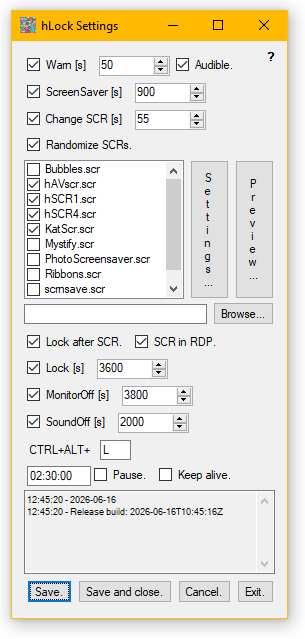
Started as a tool to lock session and turn off monitor, ignoring if fex a media player requested presentation.
Since early 2023 Windows 10 no longer starts screen savers, so screen savers was added. Option to use any executable as "screen saver".
(Group Policy settings passes to ControlPanel, but have no effect. PowerCfg.exe does not list any blocking requests, and monitors power off as expected. Several PCs (Win7/8 upgrades and fresh installs) with different GFX vendors...)
All controls have a tool tip on hover.
Sets itself to autostart, and then "hides". To change settings click link in StartMenu.
To push machine wide settings copy the settings file from %APPDATA%\LazyCat\hLock to %WinDir% . Maybe use AD and GP for this.
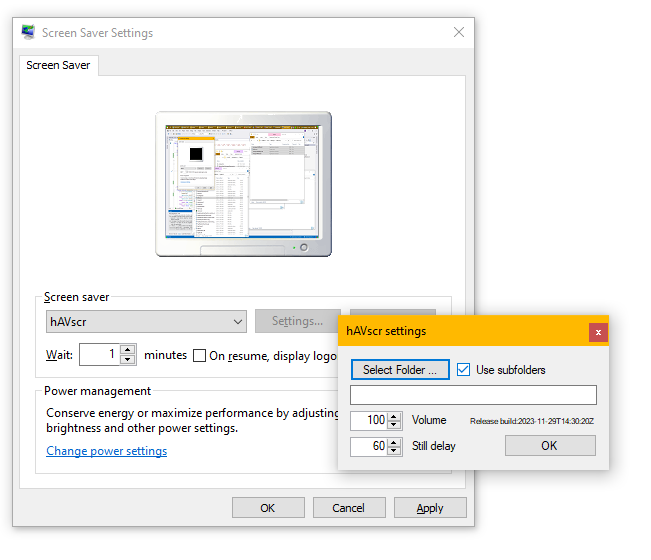
Screen saver. Shows images, sound and video files in selected folder.
Install by copying content of hAVscr.zip to %SystemRoot%\System32 .
Set settings in Windows Screen Saver Settings, or use hLock.
All files that Windows Media Player can show should work.
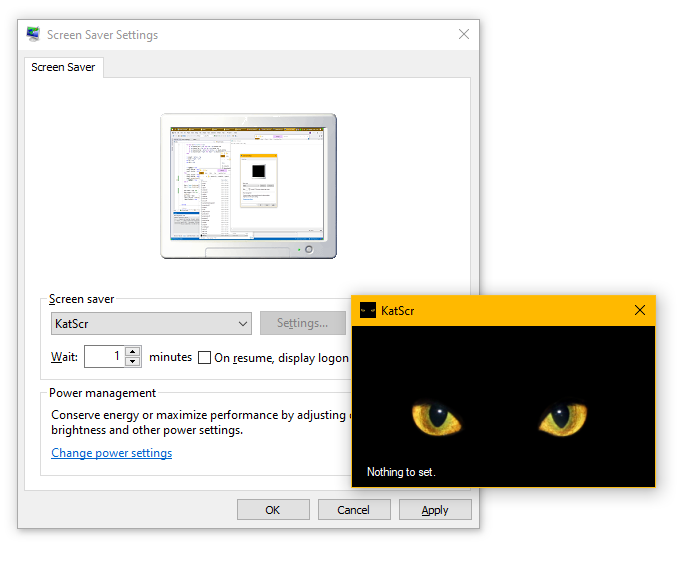
Install by copying KatScr.scr to %SystemRoot%\System32 .
Set settings in Windows Screen Saver Settings, or use hLock.
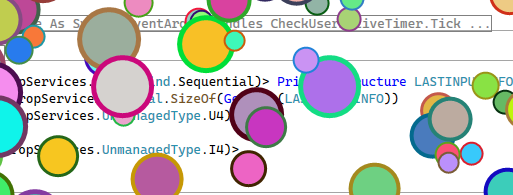
Another screen saver.
Install by copying hSCR4.scr to %SystemRoot%\System32 .
Set settings in Windows Screen Saver Settings, or use hLock.
.mp4
Another screen saver. I thought this already existed, but no. This have the same visual effect as hSave2, slowly cycling all colors. On average it takes about 11 minutes and 11k color changes, before a color is repeated.
Install by copying hSCR1.scr to %SystemRoot%\System32 .
Set settings in Windows Screen Saver Settings, or use hLock.
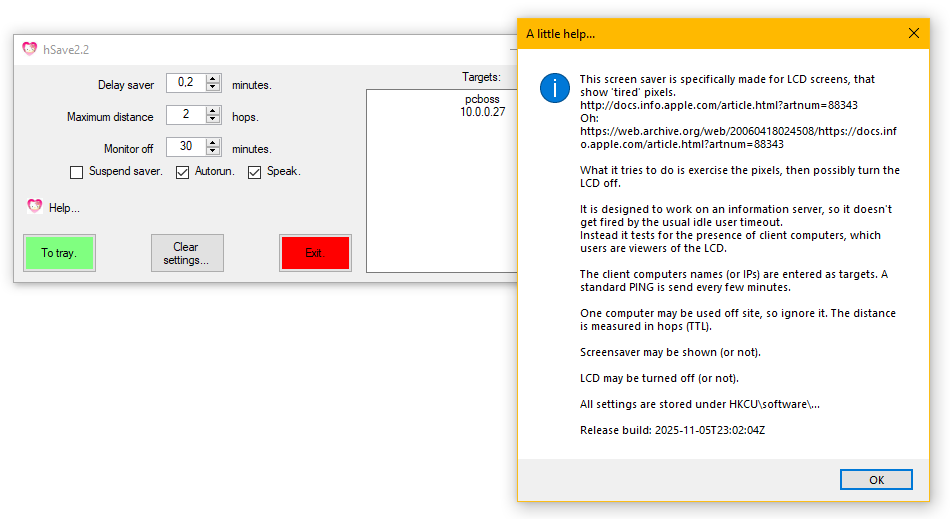
Primary example use was 'a wall' of computer screens on the office wall for monitoring and status.
But people would forget to turn them off at night, leading to tired pixels  . Or worse; forget to turn them on in the morning, so there were 'nothing to see'. (Yeah, I know.) So this was made. See tooltips and the help page for how it works, it is really simple.
This one I know is from 2006-01 or earlier, so .NET1.1, and now took a bit of work to get to 4.8.1, with updates and modernisation.
What is it with the pink copyright infringement?
Someone did not like the original icon, because it "... is too angry... ". I forget the details. But I changed to this icon, the least angry I could think of, and as it was all on my own time, the complaints stopped.
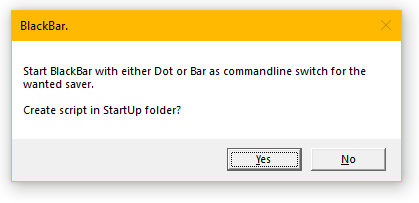
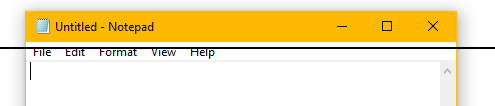
Runs an alternating black and white line down the screen every minute or blink B/W dots at random locations. Dots are less noticeable, but maybe less efficient.
Did seem to reduce burn-in on plasma and CRT screens with static image parts. And possibly fixed "lazy pixels" on early LCDs. Still in 2023 I just use it on anything that shows static images.
Elevate - Henning Olsen - Release build: 2026-04-02T09:57:16Z

First argument must be Wait or NoWait or Begin (or End).

With Wait or NoWait the following arguments are run as if from an elevated CMD.
Exitcode is 0 on success.
Examples:
Elevate.exe NoWait Notepad.exe "%SystemRoot%\System32\drivers\etc\hosts"
Elevate.exe Wait Install.bat /AllUsers

With Begin the next argument is a batfile, in which is found the first line beginning with 'Elevate*.* Begin/End'.
From the rest of the batfile parts between lines 'Elevate.exe Begin' and 'Elevate.exe End' are copied to %temp% and run elevated.
Other parts are run un-elevated.
Wait is implied.

To point to the current batfile use '%0 & exit', example.bat:

Elevate.exe Begin %0 & exit
NetStat -a -b -o  >"%temp%\ns.txt"
Elevate.exe End
Notepad.exe "%temp%\ns.txt"
Use in scripts. Runs an .exe or .bat or parts of a .bat as Administrator, opening the UAC prompt as needed.
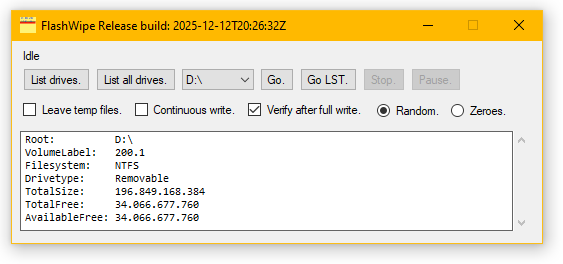
The Flash in the name is from flash drives (USB or cards) that are used where encryption is not possible. FW is not 🧙 faster than the drive.
Another use is testing if a dodgy drive is really of the sold size. Or stress- and speed-testing.
FlashWipe works by filling empty space on the selected drive with data.
If the drive is in use by other applications, a part of the drive may not be filled. Also, a drive may have copied data off a bad area, from which it could potentially be read when deleted from the new location.
How good is the wipe?
Good enough. And works without admin rights. Also see:
Toms Hardware, Securely Erase an SSD or HDD  .
.
When possible, always use drive encryption, such as BitLocker. Do not expect to be able to (fully) wipe a drive (before you lose it or send it back under warranty).
Do not transmit or store unencrypted data: Use encryption!
DeleteOldFiles, Henning Olsen 2021 Release build: 2026-04-02T09:57:12Z
Folder:      Where to start.
FilePattern: Default *.* .
Subfolders   Include subfolders.
MatchFolder: Only delete file if foldername contains this. No wildcards.
DateTime:    Cutoff. Must be in format:
2026-04-03T16:14:02.7470627+02:00
Minutes:     Cutoff.
Hours:       Cutoff.
Days:        Cutoff.
If more than one cutoff is given, the last on the line is used.
ShowOnly     Only list files that would be deleted.
Exitcodes: 0 - OK, 1 - Argument error(s), 2 - Run error(s).
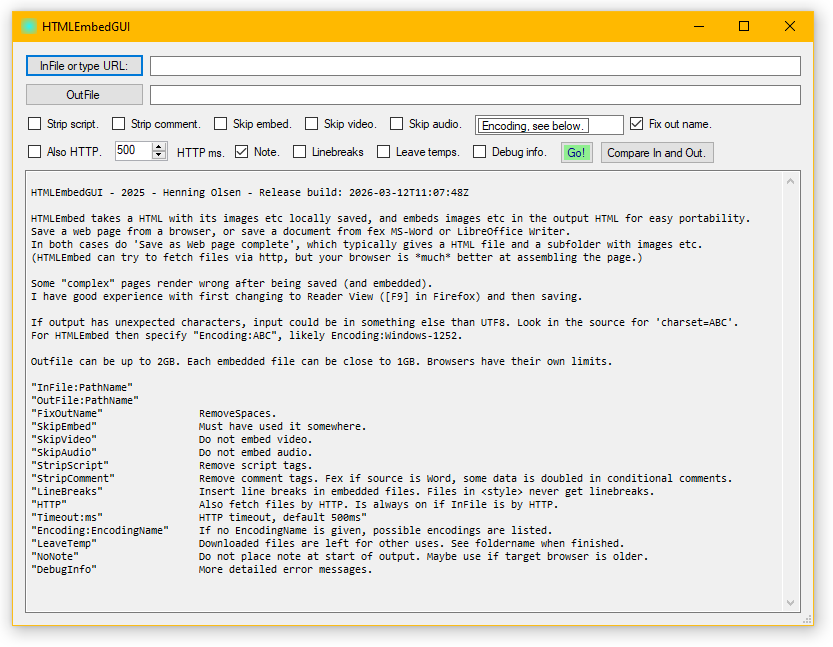
A GUI for HTMLEmbed .
HTMLEmbed - 2023 - Henning Olsen - Release build: 2026-04-02T09:58:16Z

HTMLEmbed takes a HTML with its images etc locally saved, and embeds images etc in the output HTML for easy portability.
Save a web page from a browser, or save a document from fex MS-Word or LibreOffice Writer.
In both cases do 'Save as Web page complete', which typically gives a HTML file and a subfolder with images etc.
(HTMLEmbed can try to fetch files via http, but your browser is *much* better at assembling the page.)

Some "complex" pages render wrong after being saved (and embedded).
I have good experience with first changing to Reader View ([F9] in Firefox) and then saving.

If output has unexpected characters, input could be in something else than UTF8. Look in the source for 'charset=ABC'.
For HTMLEmbed then specify "Encoding:ABC", likely Encoding:Windows-1252.

Outfile can be up to 2GB. Each embedded file can be close to 1GB. Browsers have their own limits.

"InFile:PathName"
"OutFile:PathName"
"FixOutName"                RemoveSpaces.
"SkipEmbed"                 Must have used it somewhere.
"SkipVideo"                 Do not embed video.
"SkipAudio"                 Do not embed audio.
"StripScript"               Remove script tags.
"StripComment"              Remove comment tags. Fex if source is Word, some data is doubled in conditional comments.
"LineBreaks"                Insert line breaks in embedded files. Files in <style> never get linebreaks.
"HTTP"                      Also fetch files by HTTP. Is always on if InFile is by HTTP.
"Timeout:ms"                HTTP timeout, default 500ms"
"Encoding:EncodingName"     If no EncodingName is given, possible encodings are listed.
"LeaveTemp"                 Downloaded files are left for other uses. See foldername when finished.
"NoNote"                    Do not place note at start of output. Maybe use if target browser is older.
"DebugInfo"                 More detailed error messages.
This page as an example:
158.405 input bytes.
158.310 input chars.
346 IMG tags in InFile, 345 replaced.
1 VIDEO tags in InFile, 1 replaced.
0 AUDIO tags in InFile, 0 replaced.
1 REL tags in InFile, 1 replaced.
2 url('') tags in <style> in InFile, 2 replaced.
16.758.152 base64 chars total.
16.910.664 output chars total.
16.910.882 output bytes.

Errors:
FileSrcToBase64Src, no file? XXX.png
This (and TrimMultipageScans ) uses data URI , an alternative to MHTML files, which have very little support nowadays.
Makes portable HTML with images etc embedded. This fex makes it viewable with mobile browsers, that restrict filesystem access.
hWoL - Wake On Lan - (c) 2008 Henning Olsen - Release build: 2026-04-09T11:33:36Z

mac:MAC-address in hex.
macfile:text file with a single MAC per line.
MAC-addresses can be given with any delimiter.

bca:IP-addr/hostname The broadcast address to use.
bcafile:text file with a single IP-addr/hostname per line.
If no BCA is given 255.255.255.255 is used.
repeat:count, default is 0.

port:UDP-port number, default is 9.
Wake on Lan. Works in VLANs and through NAT if configured in the network equipment.
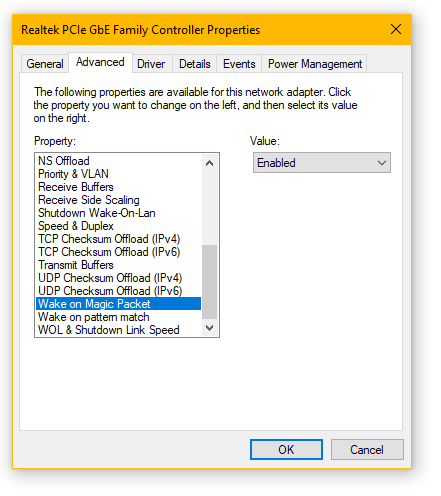
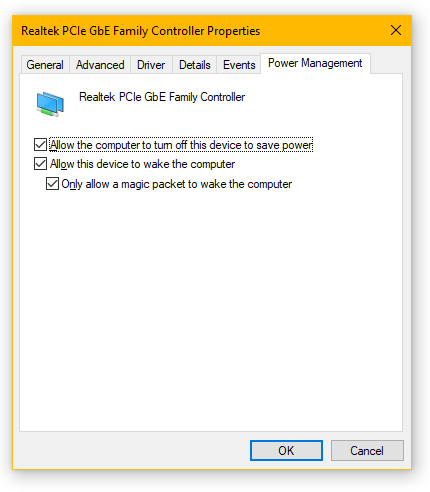
Settings to enable WOL can be found in BIOS/UEFI setup and Network/Device settings. Each PC/OS/Driver is different, here is a typical Windows example, BIOS/UEFI on this PC has nothing related:
                                                 hWaitFor - 2011 - Henning Olsen
                                                    Release build: 2026-10-27

   Usage:

Time:Seconds                               Or mm:ss or hh:mm:ss or dd:hh:mm:ss. Wait this long.
TimeRandom:MinimumSeconds:MaximumSeconds
DateTime:2026-10-27T08:30:35.0481171+01:00 or partial fex 13:13 or 2020-01-01. Partial time is today.
NewDay                                     Next 00:00:01.
NewHour
DOW:6                                      Day of week. 1-7, monday is 1.

PingUp:Target                              Wait for NoReply to Reply transition.
PingDown:Target                            Wait for Reply to NoReply transition.
PingReply:Target                           Wait for Reply.
PingNoReply:Target                         Wait for NoReply.

PortOpen:Target:Port                       Wait for port to be open.
PortClose:Target:Port                      Wait for port to be closed.

Timeout:milliseconds                       ms timeout for each ping and TCP test (default 50).
Wait:milliseconds                          ms between tests (default 1000).

ServiceList:RemoteMachine                  List service names and display names. Blank RemoteMachine means local.
ServiceStarted:ServiceName:RemoteMachine   Wait for service to be started.
ServiceStopped:ServiceName:RemoteMachine   Wait for service to be stopped.

ProcessStopped:Name                        Wait for process to be stopped.
ProcessStarted:Name                        Wait for process to be started.
ProcessReady:Name                          Wait for process to be started and UI responding.
ProcessCount:1                             Wait for for this many processes with ProcessStarted or ProcessReady.

FileMaxAge:Time                            Max age for FileExist and FileContains. (Wait for update). Same format as Time.
FileMinAge:Time                            Min age for FileExist and FileContains. (Wait for ready). Same format as Time.
                                             MinAge and MaxAge can be used together.
FileExist:PathName                         Wait for file to exist.
FileGone:PathName                          Wait for file to be gone.
Content:Text                               Content for FileContains.
                                             If Content is 0-length wait for file larger than 0 byte.
FileContains:PathName                      Wait for file to exist, then check for a line with Content.

FolderExist:PathName                       Wait for folder to exist.
FolderGone:PathName                        Wait for folder to be gone.

NetworkConnected:Name                      Wait for network name to be connected. Usually SSID if Wifi.
                                             Listed under Status in 'Control Panel\Network and Internet\Network Connections'.
NetworkDisConnected:Name                   Wait for network name to be disconnected.

PowerOnline                                Wait for external power.
PowerOffline                               Wait for battery power.
PowerBatteryOver:Percent                   Wait for battery level to be equal or more.
PowerBatteryUnder:Percent                  Wait for battery level to be equal or less.

GiveUp:Seconds                             s before giving up with error (default 0 = never).
ExitOnE                                    Exit on user keypress E or e.

Quiet                                      Only write errors.

   Exit code: 0=OK, 1=GaveUp, 2=UserExit, 3=OtherError, 4=ArgumentError, 5=Unknown.
Wait for Time, Ping, TCP, Service, Process, File, Power...
Also see: SessionSwitched for user session events.
Example use is scripted ordered restart of servers, if their applications falls over if their partners are gone.
Or daily backup to a slow booting NAS that is scheduled On/Off:
set NAS=192.168.22.22
set LOG=C:\Temp\%~n0.log

:TOP
hWaitFor.exe Timeout:2000 Wait:2000 PingReply:%NAS%
hWaitFor.exe Timeout:2000 Wait:2000 PortOpen:%NAS%:445
hWaitFor.exe Time:5:00

net use \\%NAS% /d
net use \\%NAS% /user:NASUser NASPassword

ECHO %DATE% %TIME%  >%LOG%

hCryptFiles.exe Folder:I:\Something SubFolders OutFolder:\\%NAS%\SomethingBackup "Password:AnotherPassword" EnCrypt  |  find /v " :: SAME" >>%LOG%

ECHO %DATE% %TIME% >>%LOG%

net use \\%NAS% /d

hWaitFor.exe NewDay
GOTO TOP
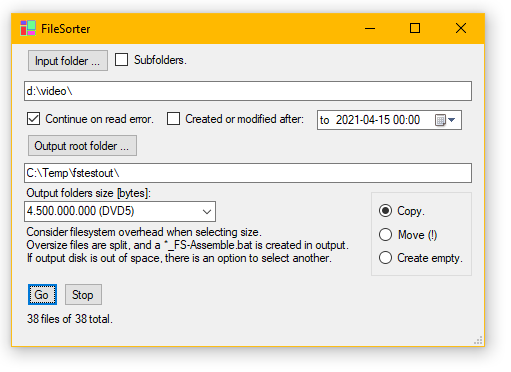
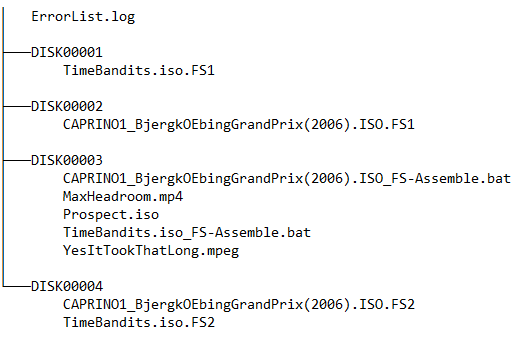
Sort files including folder structure into folders with max size for transport.
Example uses is with resource constrained PCs or if recipient cannot use something like 7zip or cannot recieve self extracting archives.
FileSorter35.exe is build to .NET 3.5, and will work on XP/S2003.
As FileSorter will run on most Windows versions, here is how it looks on XP (Duplo), XP (Adult), 7, (sorry no current 8), 10, S2019, 11 and S2025:
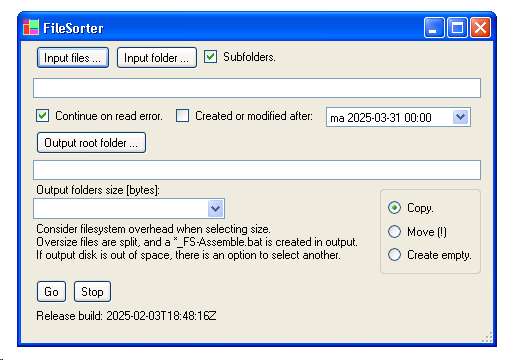
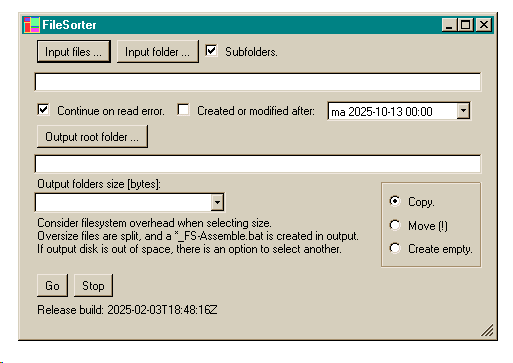
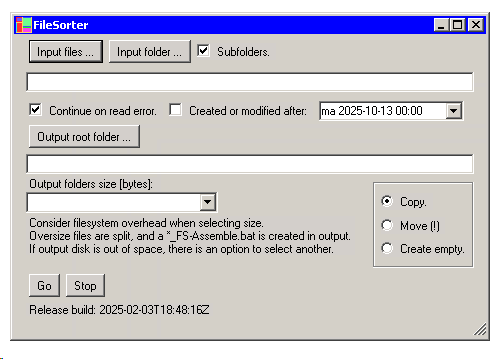
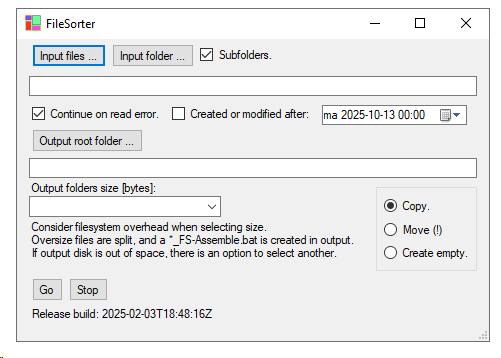
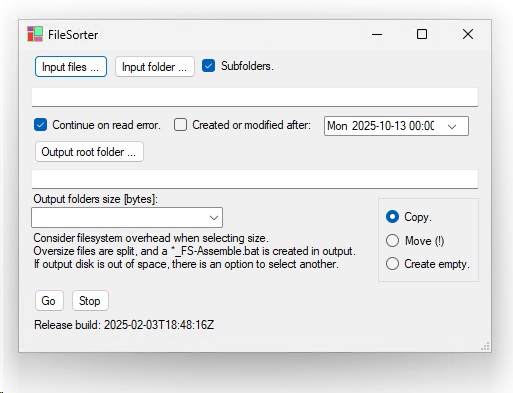
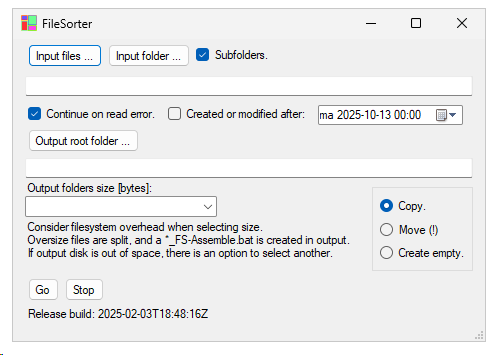
I find XP & 7 easier to "read", as the different control states have, well, more difference.
Each application can chose to use the older style, but it will then look out of place. To see it, play with Style in WhatHaveIDone
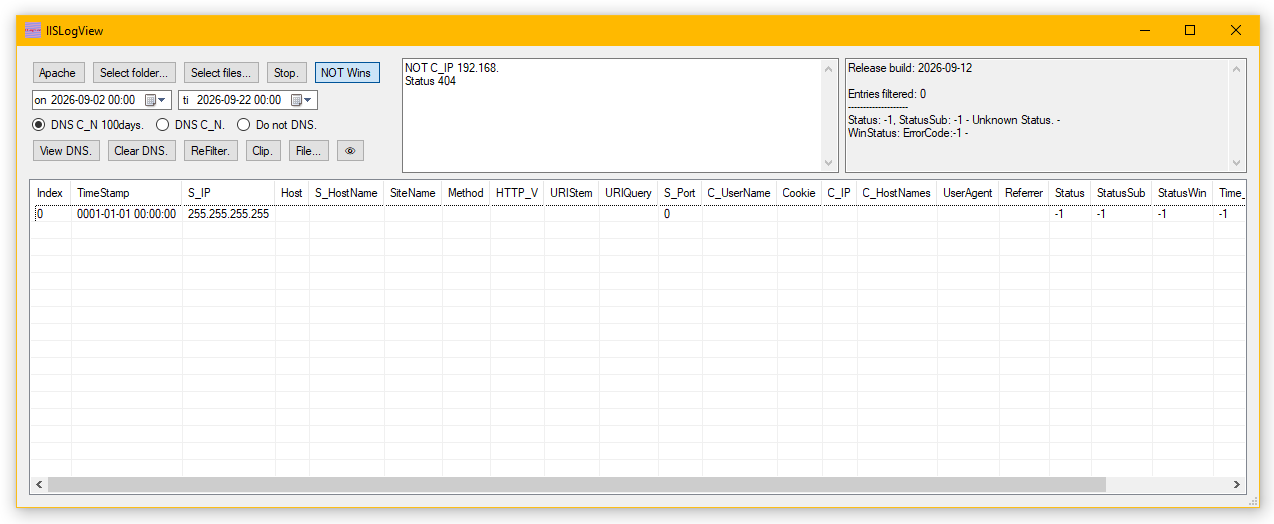
Run As Admin if looking at "live" log files.
Doing reverse DNS on client IPs can be very slow at first, but IISlogView caches results over restarts.
Also reads Apache logs, if they follow
Apache doc  default Common Log Format + Combined Log Format. HostnameLookups is allowed.
Example entry: 20.80.98.152 - - [11/Sep/2026:01:08:55 +0000] "GET / HTTP/1.1" 200 5362 "-" "Mozilla/5.0 zgrab/0.x"
That is an annoying format; space separated values, datetime with space, but in brackets and not quotes. And datetime in that format. Oh, and quotes are not escaped...
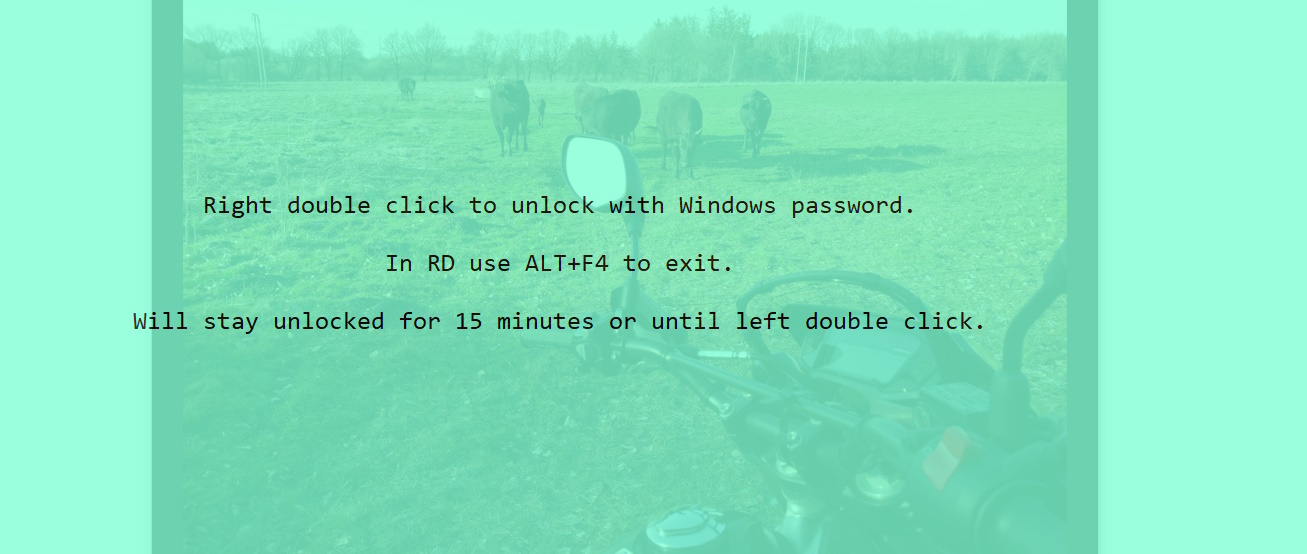
Keeps a clear transparent window on top of everything on all monitors. Can be unlocked with Windows password. Shown above is the unlock screen over the desktop.
Hides mouse. Does a variant of BlackBar. Click anywhere to get to the above screen.
Example use is for a PC to stay unlocked showing some application like a spreadsheet that does not have a "kiosk mode", but there is a need to keep people out.
Not super safe.
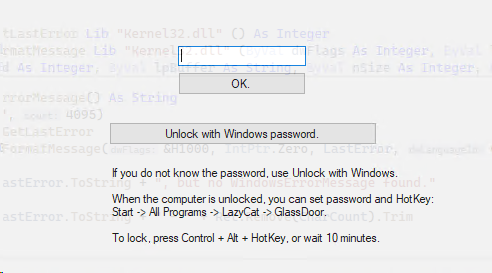
Keeps a transparent window on top of everything on all monitors.
Can be unlocked with Windows password or password local to GlassDoor. PW could be a simple PIN.
Sets up autostart. Option to keep Windows session from locking when GlassDoor is locked.
Example use is a PC that must be locked, but where onscreen information must be viewable.
FileToVBArray - Henning Olsen - Release build: 2026-04-02T09:57:22Z
Encodes one or more files as a class.vb file with the files content as arrays.
Example use is alternate way of embedding data. Maybe call as pre-build event.
InFile:PathName, more than one can be given. Filename with . removed is used as arrayname.
OutFile:PathName, filename without extension is used as class name.
Password:Password, optional. If given data is embedded encrypted.
Salt:Salt, optional.
Iterations:Number, optional. Default 1000
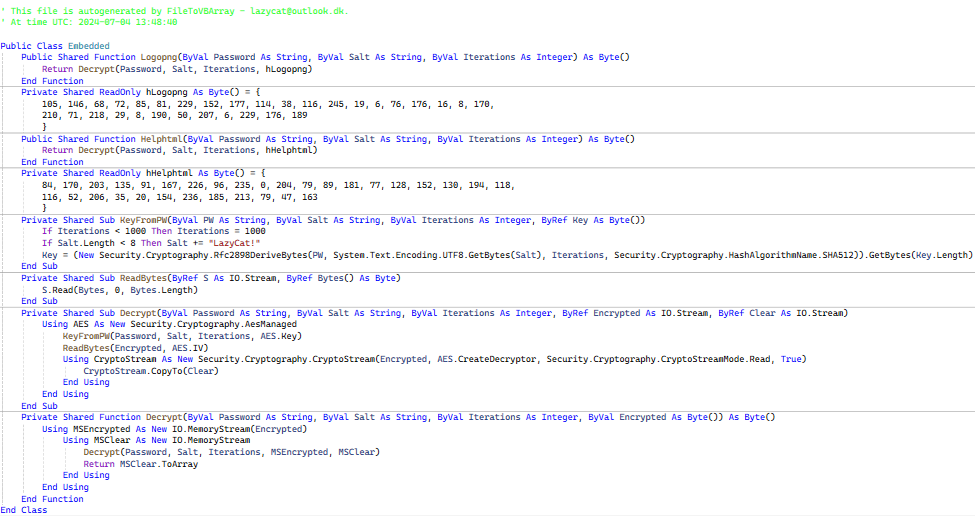
Encrypted (optional):
Clear:
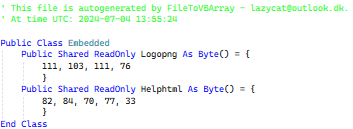
Encodes one or more files as a class.vb file with the files content as arrays.
Example use is alternate way of embedding data. If called as a pre-build event, add the class file as linked.
Note that the resulting class file is a few times larger than the input or compiled files: If the file is big, do not try to view it.
The compiled content is the same size as the input. (For small files as in the above examples, the overhead of initialization vector (16B) and padding (0-16B) can be large.)
This functionality started in another application when:
Corp AV Scan Jockey: Your application X contains a string that looks like a web address.
Me: And that is a problem?
CASJ: It can be used to download malware.
Me: It is for an internal webserver.
CASJ: [Silence]
Me: [Makes and uses HideData.] Fine, here is a version of X "without" a web address string.
A few days later the new version is allowed to run.
 WebPing (c) 2018 Henning Olsen.
Release build: 2026-04-02T10:00:09Z

Use:Run at server or workstation, access application from webbrowser fex on phone.
If public facing, use the BlockIP options to hide local net.
Arguments:
PortNumber:Integer - Listenport.
BlockIP:String - If a host has *any* IP, that starts with String, the result is as if the host does not exist. Any number of BlockIP can be given.
Possible exitcodes:
0 - OK
1 - ErrorUnhandledException
2 - ErrorUnknowArgument
3 - ErrorLoadingSettings
Server ↑
Client ↓
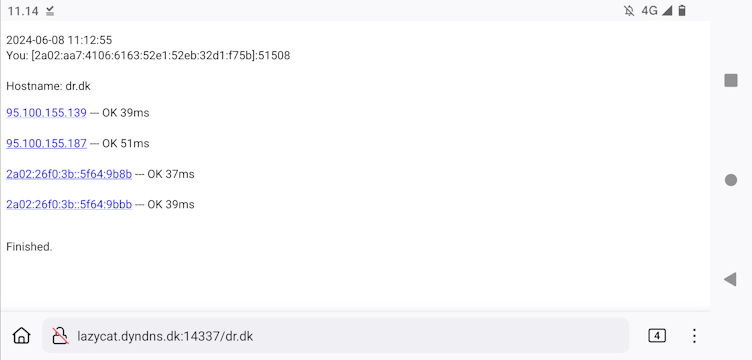
Run at server or workstation, access application from webbrowser fex on phone.
Example use is when in the dark end of the warehouse, and want to check if a device is back on the network.
Or does the Company DNS give another IP than the one at home?
    hBeep V2 - Henning Olsen - Release build: 2026-04-02T09:57:46Z


D                  DOS beep.
D:Hz:ms            DOS beep.
DG                 DOS Good.
DB                 DOS Bad.
DN                 DOS Note.
DR                 DOS Random.
DQ:n:ID            DOS Unique - n is number of beeps, ID is any string identifying the sequence.
A                  Win Asterisk.
B                  Win Beep.
E                  Win Exclamation.
H                  Win Hand.
Q                  Win Question.
GG
BH
SD
File:PathName.wav
Pause:Number       ms to next sound.
Loop:Number        0=Forever.
    The Win sounds depend on Windows Sound Settings: mmsys.cpl .
Beeps and plays WAVs from commandline.
OnNetworkChange 2022 Henning Olsen.
Release build: 2026-04-02T09:58:51Z
Logs and runs commands on changes (10s) to NICs.
Arguments, both optional; "File:LogFilePathName" ; "Command:Something.bat".
Started.

Waiting for change..............
Fex use this and hMail to notify on IP change.
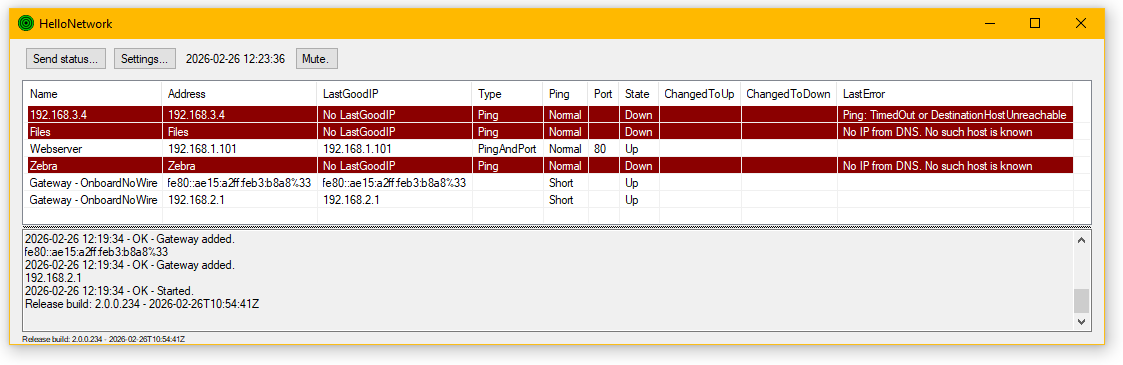
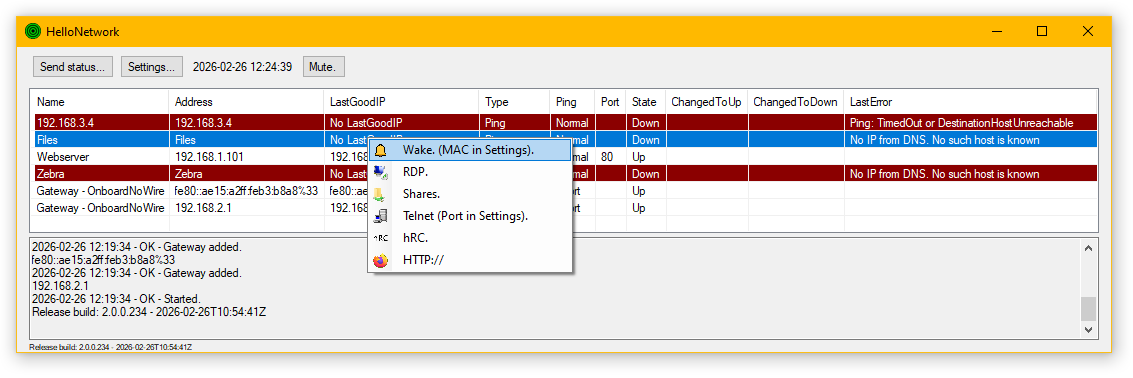
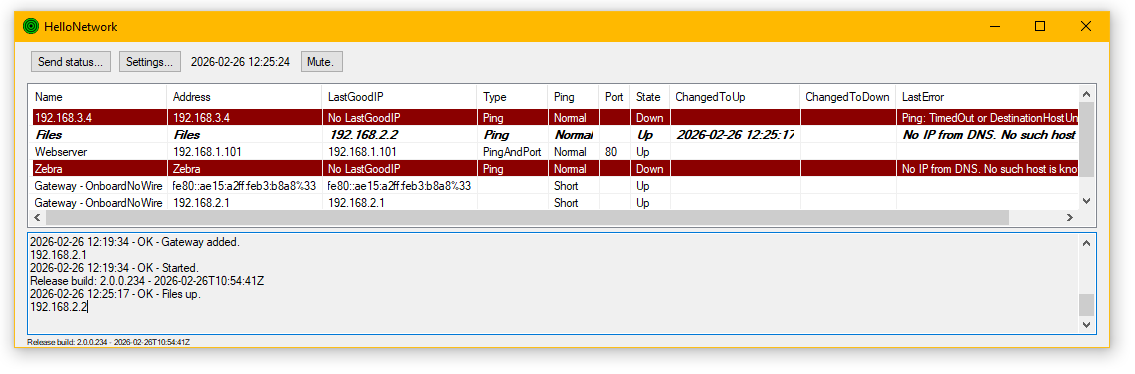
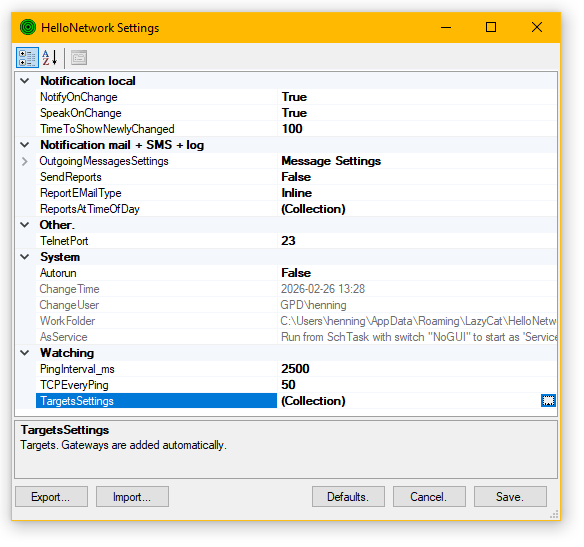
An early version of HN was in a group of HelloSomething applications made for end users, to quickly check the background status of "their" "system". This version only shares the name and basic idea: A simple network monitor.
When Autorun is enabled, the main window minimises to the Systemtray  , and HN has become a start menu for my network with Wake, RDP, Shares...
Can be started at boot from SchTasks with NoGUI, for just logging and sending mail/SMS.
Mail will have the following headers (View Source) for easy filtering in your mail system:
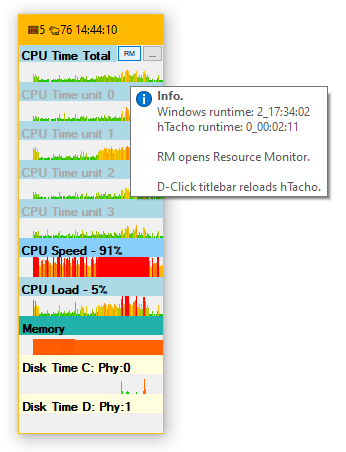
This one is old (2005?), and at the time there was no quick way of following disk load when working. It is also lighter on CPU than modern TaskManager when only a simple view is needed.
(The PC that build all this is a 1,1GHz 4 Core Celeron  , and TM will easily take 10-20% of that depending on view.)
And I have other ideas that will use Performance Counters, so this was also a revisit for that:
If started with a commandline argument, all Performance Counters are listed in a file with that name. Names follow en-US format (WTH are they localized?), as that is what I have to use when requesting the same counter on machines with different language settings.
Some counters are only listed when Run As Admin, although they may be available when queried directly.
hTacho35.exe is build to .NET 3.5, and will work on XP/S2003.
Crash - Henning Olsen.
Crash is all.

Unhandled Exception: System.ArgumentException: BOOM!
   at Crash.Module1.Main() in l:\Crash\Module1.vb:line 7
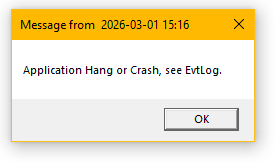
Example use is to validate settings from UserModeCrashDump.reg or Crashed_SchTsk.xml works as expected.
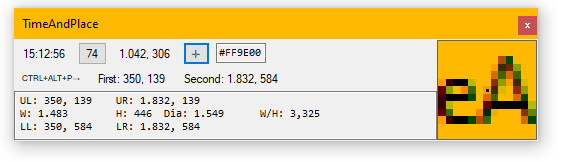
Measure time and screen elements.
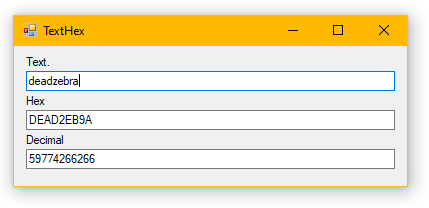
Maybe for error and status codes? 10400940?
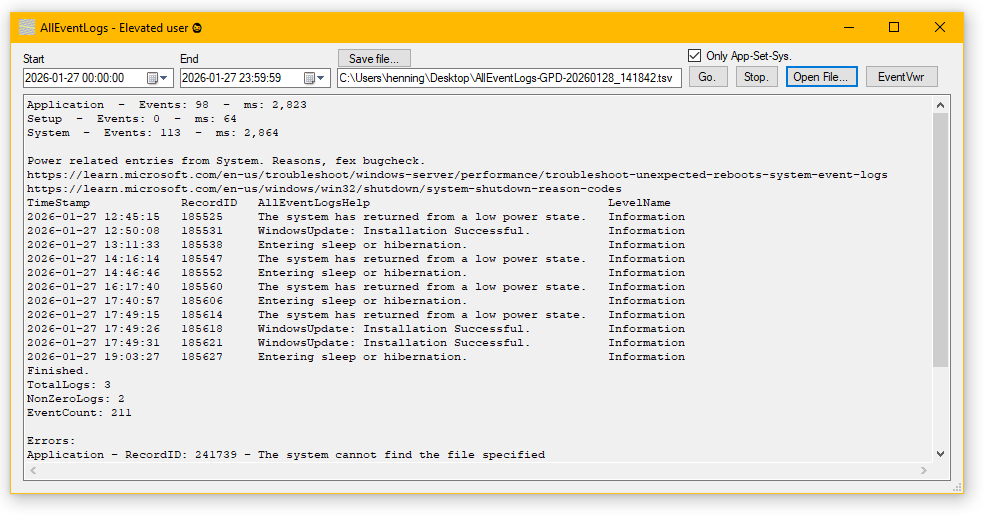

Get content of all WinEvtLogs for the selected period in a TSV file.
Events are default sorted by timestamp.
The idea is to help if you do not know where to look, but know the time of an incident. And see timing of events between logs.
Inside the application, events that are or could be related to power transitions are filtered and shown with descriptions.
Maybe need to Run As Admin or at least be in the "Event Log Readers" group.
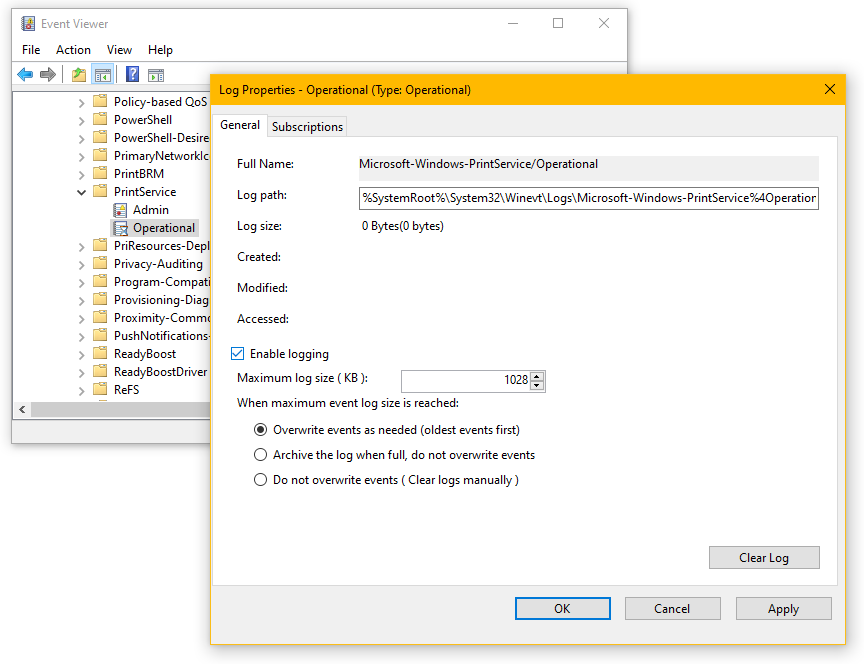
Windows has 1000+ EvtLogs, many of which are not active by default:
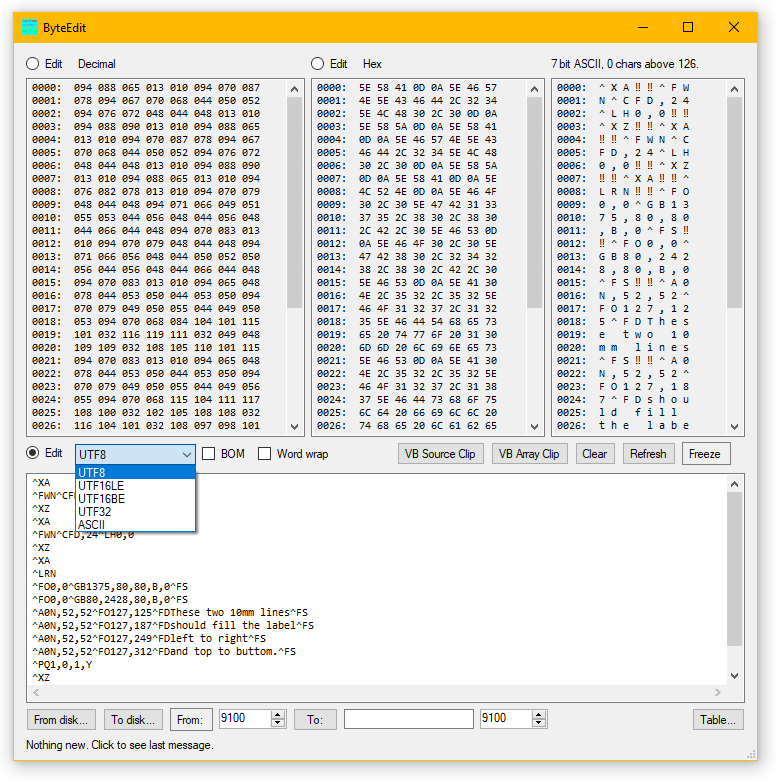
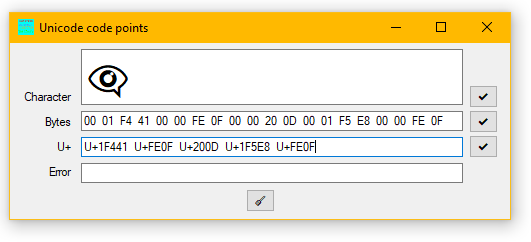
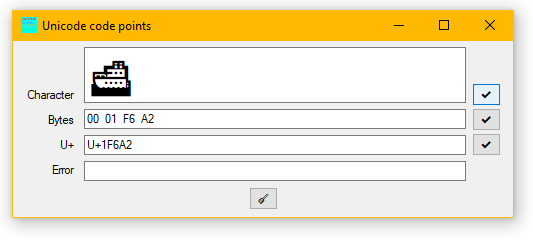
This never became a good byte editor, but changed direction (with no name change) and became useful for playing with ASCII and UniCode. And printers. Lots of Zebras and labels 😑.
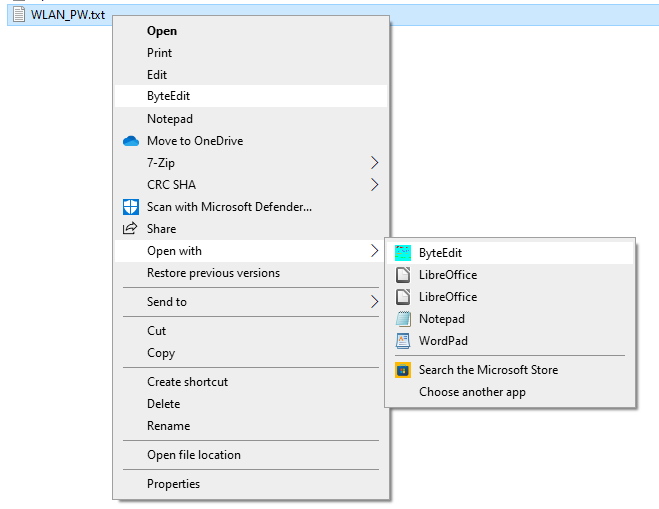
Supports OpenWith→ChooseAnotherApplication. Or use Applications/ByteEdit.reg, which like Applications/Notepad.reg adds an entry to Explorers context menu:
Installs as service:
Unpack zip and run .bat.
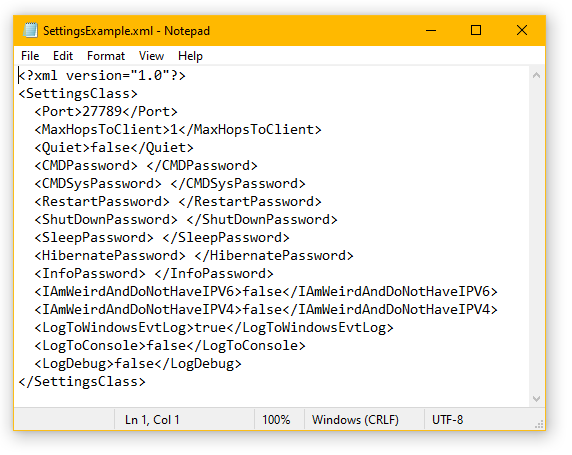
Copy SettingsExample.xml or rename (a new example is always created at startup) to Settings.xml, edit Settings.xml and restart service.
Setup OS firewall to limit scope of remote addresses, fex to Local Subnet. Communication is not encrypted!
Gives options for Remote Control for controlled Restart, ShutDown, Sleep, Hibernate and Process and Session info even if OS resources are exhausted.
There are also options for a rudimentary telnet server: CMD and CMDSys differs in that CMD runs with a requested user account, and CMDSys runs in hRCs service account (default LocalService).
An option is only enabled, when a password is configured for it: That means nothing is enabled by default. See SettingsExample.xml below. A blank PW means no PW.
Connections (max 5 pending) and login attempts (1 pr s) are ratelimited.
Why? - If there are no out of band access like a virtual hosts console or physical remote access controller, fex because of home-grade servers or "slow" (any meaning you can think of) corporate jockeys.
Is this a bad idea? - Yes, in most cases. Move on and buy a RAC.
%ProgramFiles%\LazyCat\hRC :
From client:
https://learn.microsoft.com/en-us/windows-server/administration/windows-commands/telnet

GPD - Quit/Exit/Bye, CMD, CMDSys, Restart, Shutdown, Sleep, Hibernate, Info?
info
PW?
HaHa-No!
PW OK.

Windows runtime: 1_14:27:32
Service runtime: 1_14:26:54
Release build: 2026-03-22T09:03:37Z

Number of CPUs: 4
CPU load:       65%
Memory load:    43%
Disk load all:  1%

SESSIONNAME       USERNAME                 ID  STATE   TYPE        DEVICE
services                                    0  Disc
console                                     1  Conn
rdp-tcp#17        henning                   2  Active
31c5ce94259d4...                        65536  Listen
7a78855482a04...                        65537  Listen
rdp-tcp                                 65538  Listen

Getting process infos.
100%
Number of processes: 226
By Name, Memory, RW and CPU:

--------------------------------------------------
---------------- Processes by name ---------------
Name                     CPU    Memory       RWBytes_Pr_s  Responding  PID
AggregatorHost           0,00   4.210.688    0             Resp        6.504
AllwaysOnTop             0,00   33.300.480   0             Resp        10.728
ApplicationFrameHost     0,00   4.698.112    0             Resp        8.196
audiodg                  0,00   6.975.488    0             Resp        16.196
BlockWindow              0,58   29.167.616   0             Resp        1.856
cmd                      0,00   2.772.992    0             Resp        11.464
cmd                      0,00   3.457.024    0             Resp        2.556
cmd                      0,00   2.494.464    0             Resp        11.628
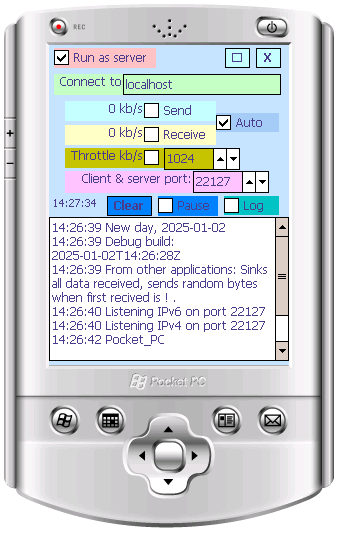
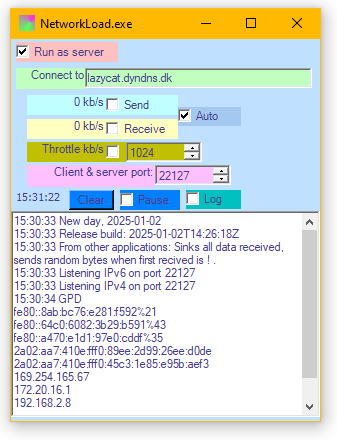
Tests network by connecting two instances.
Originally for wireless on mobile devices, as signal strength is not a good indicator, and most devices update indication slowly as you move around checking coverage.
Works on WinXP/S2003 and newer, and WinCE, WinMobile, WinPhone<v7. Anything with .NET 3.5 (Compact) Framework and newer.
ShowStrings - Henning Olsen 2024 - Release build: 2026-04-02T09:59:44Z

Show strings in a file.

Default encoding is utf-8. utf-16 is LE. Available encoding names:

ASMO-708, big5, cp1025, cp866, cp875
csISO2022JP, DOS-720, DOS-862, EUC-CN, euc-jp
EUC-JP, euc-kr, GB18030, gb2312, hz-gb-2312
IBM00858, IBM00924, IBM01047, IBM01140, IBM01141
IBM01142, IBM01143, IBM01144, IBM01145, IBM01146
IBM01147, IBM01148, IBM01149, IBM037, IBM1026
IBM273, IBM277, IBM278, IBM280, IBM284
IBM285, IBM290, IBM297, IBM420, IBM423
IBM424, IBM437, IBM500, ibm737, ibm775
ibm850, ibm852, IBM855, ibm857, IBM860
ibm861, IBM863, IBM864, IBM865, ibm869
IBM870, IBM871, IBM880, IBM905, IBM-Thai
iso-2022-jp, iso-2022-jp, iso-2022-kr, iso-8859-1, iso-8859-13
iso-8859-15, iso-8859-2, iso-8859-3, iso-8859-4, iso-8859-5
iso-8859-6, iso-8859-7, iso-8859-8, iso-8859-8-i, iso-8859-9
Johab, koi8-r, koi8-u, ks_c_5601-1987, macintosh
shift_jis, us-ascii, utf-16, utf-16BE, utf-32
utf-32BE, utf-7, utf-8, windows-1250, windows-1251
Windows-1252, windows-1253, windows-1254, windows-1255, windows-1256
windows-1257, windows-1258, windows-874, x-Chinese-CNS, x-Chinese-Eten
x-cp20001, x-cp20003, x-cp20004, x-cp20005, x-cp20261
x-cp20269, x-cp20936, x-cp20949, x-cp50227, x-EBCDIC-KoreanExtended
x-Europa, x-IA5, x-IA5-German, x-IA5-Norwegian, x-IA5-Swedish
x-iscii-as, x-iscii-be, x-iscii-de, x-iscii-gu, x-iscii-ka
x-iscii-ma, x-iscii-or, x-iscii-pa, x-iscii-ta, x-iscii-te
x-mac-arabic, x-mac-ce, x-mac-chinesesimp, x-mac-chinesetrad, x-mac-croatian
x-mac-cyrillic, x-mac-greek, x-mac-hebrew, x-mac-icelandic, x-mac-japanese
x-mac-korean, x-mac-romanian, x-mac-thai, x-mac-turkish, x-mac-ukrainian

"Enc:EncodingName"        One of the above. More than one Enc: can be given.
"Filter:String"           Only show strings containing this string. More than one Filter: can be given.
ASCII                     Only include ASCII range chars h20-h7E. Default is h0001-hFFFF.
"MinLength:Bytes"         Minimum string length to include. Default is 0.
CaseSensitive             Make Filter: case sensitive.
SkipBlankStrings          Do not consider strings only containing whitespace.
SplitOnLine               Consider each line a separate string. Splits on CR or LF.
SplitOnTAB                Separate string on TAB char.
SplitOnSpace              Separate string on Space.
"InFile:PathName"         File to read. More than one InFile: can be given.
"InFolder:PathName"       Folder to find files. More then one InFolder: can be given.
SubFolders                Include subfolders.
"FilePattern:*.*"         Default *.*
"OutFile:PathName"        Save output, optional.
ToConsole                 Output to console. Fex use with | FIND , errors are sent to STDERR.
ListFileNames             List file names with results.
ListOnlyFileNames         List only filenames in result.
ShowAllFound              Show all instances of the same string. Default with ListFileNames.
SortAsc                   Sort strings in outfile. Disabled with ListFileNames.
SortDesc                  Sort strings in outfile. Disabled with ListFileNames.
    Exitcodes: 0=OK, 1=ArgumentError, 2=WorkError.

Example:
ShowStrings.exe "InFile:C:\Temp\PrinterTest.exe" "enc:utf-8" "enc:utf-16" "OutFile:C:\Temp\SS.txt" toconsole | find /i "nina"
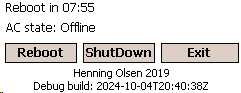
For WinCE etc only. Many of these devices have no shutdown or reboot in the UI. And one device model had a driver problem after 24 hours:
Set Reboot.exe to autostart, and it will reboot after 8 hours runtime if the device is docked for charging and assumed unused.
    ImageConvert, Henning Olsen, Release build: 2026-06-15T13:44:53Z

InputFile:FileName               Specific file, more than one can be given.
InputFolder:FolderName
SubFolders                       Include subfolders.
InputFilter:String               Fex *.jpg . Default *.* .
OnlyKnownExtensions              .bmp, .emf, .gif, .ico, .icon, .jpg, .jpeg, .png, .tif, .tiff, .wmf
OutputFolder:FolderName          Subfolders are created as in input.
                                     Specific files are created in root.
Suffix:String                    To append to output filenames, fex _300p .
KeepTimestamps                   Use input files time on outputfile.
Width:Pixels                     0=No change. Default.
Height:Pixels                    0=No change. Default.
                                     If only one of W or H is 0, then image is scaled keeping ratio.
Rotate:Degrees                   0, 90, 180 or 270.
Mirror:Direction                 X (LR) or Y (TB). More than one allowed.
OutputType:String                Fex png . Note no leading dot. Default same as input file.
KeepOriginalExtension            Fex when converting GIF to PNG in old website.
ErrorReplacement:PathName        If loading image fails, use this placeholder. If PathName is blank use default image.
LogFile:String
RecodeExisting                   Default is to skip existing output files.
                                     Given this, files are overwritten. And in place conversion is possible.
OnlyMarkBad                      No conversion, only load files, and on fail append .BadImage to filename.
    Argument starting with ' is ignored.
For automated conversion.
Use IrfanView  for many more options and GUI.
QuickEdit - Henning Olsen - Release build: 2026-04-02T09:59:18Z
Enables or disables QuickEdit in this console session, fex to avoid accidentally 'hanging' a script (showing Select in title).
On      QE on.
Off     QE off.
D       Debug, shows flags at that point. Fex: D Off D On D .

https://learn.microsoft.com/en-us/windows/console/getconsolemode
Enables or disables QuickEdit in this console session, fex to avoid accidentally "hanging" a script (showing Select in title).
(2024-11-11: Just noticed: Still works on W7, but not fully on W10; QE is correctly disabled when using internal commands like DIR, but flags get reset before external commands like PING.EXE.)
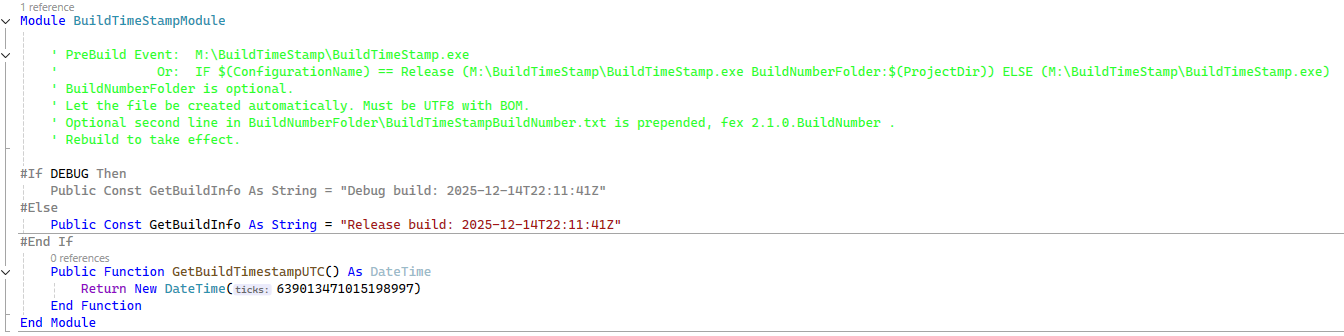
Add as Pre Build Event to the project. Adjust pathnames.
All projects, if they are not build at the same time, can share the same files; exe and vb.
When executed, it creates, in its own folder, BuildTimeStampModule.vb, as seen above.
On error, it retries a few times, and possibly exits with exitcode 1.
In the project, Add Existing Item, select BuildTimeStampModule.vb and Add As Link.
Speak - Henning Olsen - Release build: 2026-04-02T09:59:49Z

Anything not a command is spoken. For best results enclose text "To Speak" .

Note leading '.' on all commands.

".File:PathName", saves wave to PathName.
".SPS:16000", samples per second for wave.
".Read:PathName", reads text from file(s).
".Language:da-DK", can be partial fex 'da-'.
".VoiceName:Helle", selects first voice with this in name.
".Pause:1000", ms pause on empty 'sentence'; argument or line in file.
".Fix" Copies missing entries from HKLM\SOFTWARE\Microsoft\{WOW6432Node}\Speech_OneCore\Voices\Tokens to
HKCU\SOFTWARE\{WOW6432Node}\Microsoft\Speech\Voices\Tokens and HKLM\SOFTWARE\{WOW6432Node}\Microsoft\Speech\Voices\Tokens.

Voice is selected in priority: Current culture then en-GB then whatever, often en-US.

See Windows Settings -> Time And Language -> Speech.
If there seem to be voices missing, use .Fix and see fex these answers:
https://stackoverflow.com/questions/51811901/speechsynthesizer-doesnt-get-all-installed-voices-3

Available voices:
Microsoft Catherine, en-AU
Microsoft Hazel, en-GB
Microsoft Susan, en-GB
Microsoft Zira, en-US
Microsoft Hazel Desktop, en-GB
Microsoft Helle, da-DK
Microsoft Zira Desktop, en-US
Microsoft David Desktop, en-US
Microsoft James, en-AU
Microsoft George, en-GB
Microsoft David, en-US
Microsoft Mark, en-US
Speak from the commandline. I thought this was build in, but that may have been Amigas narrator.
(This page takes 60+ minutes to read!?)
Maybe create your own Windows sounds, so you do not need to discern 70 dings, but can understand directly what happened.
Or make VisualStudio speak with MakeVisualStudioSounds.bat:
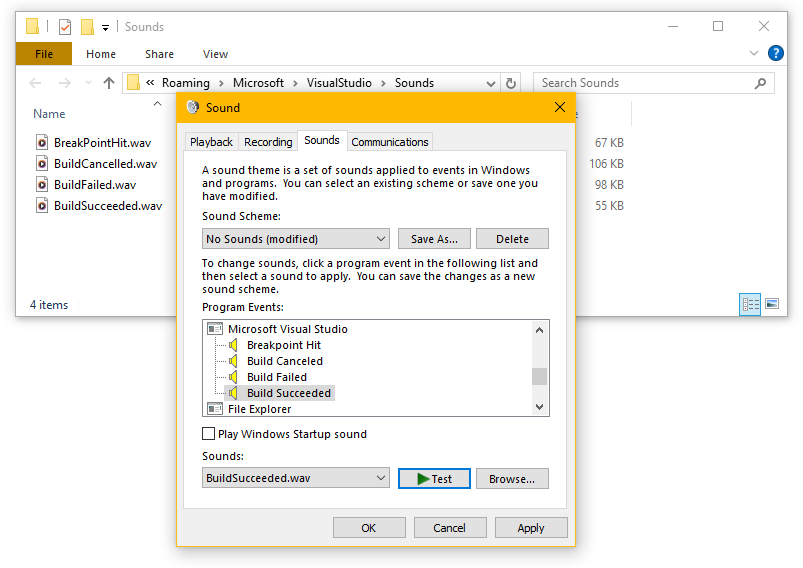
I especially like the BreakPointHit and BuildFailed, as I like to get up and do other things when waiting.
Or make Windows yell, when the PC needs a charger with MakeWindowsSounds.bat.
🤭
This is old enough to get a MC license.
Customize to your environment, by simply changing the filename.
DirToHTML - Henning Olsen - Release build: 2026-04-02T09:57:14Z

Folder:PathName (possibly more than one.)
SubFolders
Pattern:*.* (possibly more than one.)
ShowFolders
ShowFullPaths
ShowRelPaths (shows only filename if there is more than one Folder.)
PrependRelPath:String (prepends String+/ to the relative pathname.)
ShowIcons
ShowLinks
LocalLinks (html served from local filesystem, not webserver.)
ShowAnchorLinks (#+filename as link, does not work when showing pathname.)
OutFile:PathName
ImageSubFolder:RelativePathName (default: DirToHTMLImages\ .)
Title:String
TopText:String (Use <br> for linefeed.)
BottomText:String (Use <br> for linefeed.)
ShowDate
ShowTime
SortName
SortTime
Reverse
ImageWidth:0
ImageHeight:0
BorderSize:0
TableWidth:0  (pixels, scrollbars shown as needed.)
TableHeight:0 (pixels, scrollbars shown as needed.)
FontSize:100 (%)
Style:String (CSS added to containing <div>.)
FullHTML (create full html document, otherwise just the table.)
Creates HTML table from filelist. For an example output see under FileList .
"Icons" are either extracted from the file, the default for the filetype or the image in an image file.
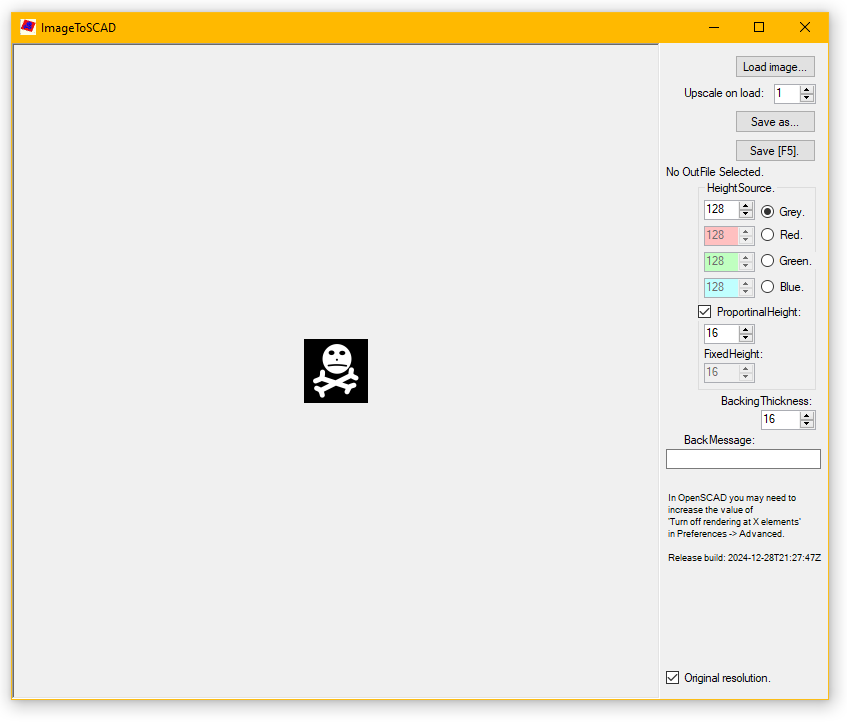
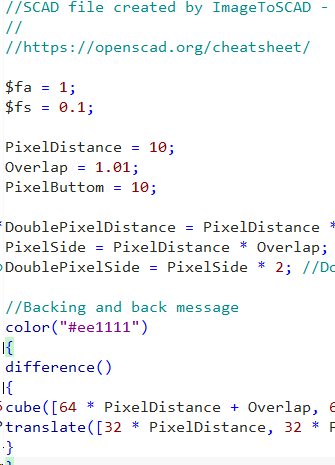
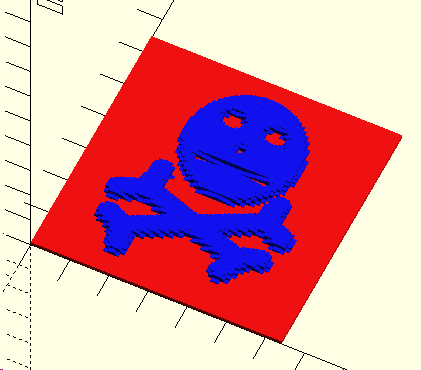
Takes a bitmap image and creates an OpenSCAD file. Optionally edit in OpenSCAD before 3D printing.
This is not quite V1.0 , and is mostly me learning OpenSCAD.
SMTPBuffer2 - 2016 - Henning Olsen - Release build: 2026-04-02T09:59:48Z

Possible exitcodes:
0 OK
1 ErrorUnhandledException
2 ErrorNoSettings
3 ErrorLoadingSettings
4 ErrorCouldNotOpenAllListeners
5 ErrorAnotherInstanceIsRunning

Use: Start from SchTask, with one argument: the pathname to a settingsfile.

Example settings file:
<?xml version="1.0"?>
<SettingsClass xmlns:xsd="http://www.w3.org/2001/XMLSchema" xmlns:xsi="http://www.w3.org/2001/XMLSchema-instance">
  <ImOldAndDontHaveIPV6>false</ImOldAndDontHaveIPV6>
  <RandomCompatibilityBeeps>true</RandomCompatibilityBeeps>
  <ComplainAboutClientDrop>false</ComplainAboutClientDrop>
  <WorkFolder>C:\Users\henning\AppData\Local\Temp\SMPTBuffer2WorkFolder\</WorkFolder>
  <KeepSentAndError_s>259200</KeepSentAndError_s>
  <MaxCharsPerLine>8192</MaxCharsPerLine>
  <MaxMailSize_kB>102400</MaxMailSize_kB>
  <ListenPorts>
    <unsignedShort>25</unsignedShort>
  </ListenPorts>
  <AdminSenderAddress>you@example.com</AdminSenderAddress>
  <AdminAddresses>
    <string>you@example.com</string>
  </AdminAddresses>
  <Servers>
    <ServerClass>
      <Name>mail.example.com</Name>
      <Port>25</Port>
      <Folder>\\server\share\folder</Folder>
    </ServerClass>
  </Servers>
  <Detours>
    <DetourClass>
      <RemoveOriginalDestinations>false</RemoveOriginalDestinations>
      <FilterMAIL_FROM>
        <string>from@example.com</string>
      </FilterMAIL_FROM>
      <FilterRCPT_TO>
        <string>old@example.com</string>
      </FilterRCPT_TO>
      <NewRCPT_TO>
        <string>new@example.com</string>
      </NewRCPT_TO>
    </DetourClass>
  </Detours>
</SettingsClass>
eMail buffer.
Options to change recipients; fex many small devices, and changing crew, address change can be done in one place.
Example use have been when main mail server have been far away on the other side of a lumpy network, or to share a single FW rule with many 'unsafe' devices.
When a server has a folder defined, mail gets copied to folder as .EML files, and not sent with SMTP.
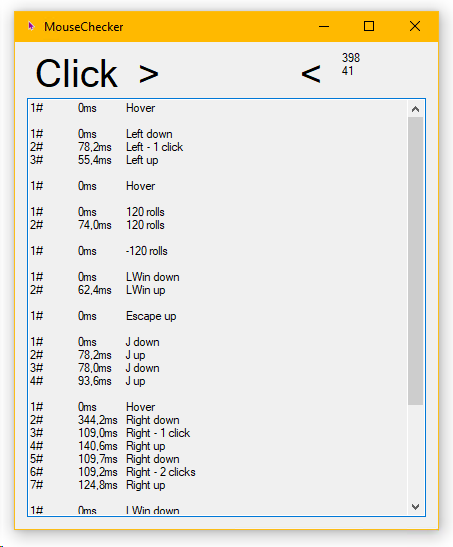
Weird, is one mouse button broken in just one application, or is it starting to break, only showing there due to timing?
Now also checks keyboard presses, so another application I should rename.
This does not listen for WindowsMessages, it just uses Forms events.
MakeIndexFiles - Henning Olsen - Release build: 1.0.0.350 - 2026-04-02T09:58:39Z
Makes index.html pages for webservers. But with options *I* like. Can also create pages with images.
"LogFolder:PathName"
DebugLog - More detailed log.
"Folder:PathName"
SubFolders - Create indexes for all subfolders.
Watch:20 - Do not exit, but watch for changes (default off). Number indicates delay in seconds from last change.
"SkipFileName:Name" - Fex web.config . More than one can be given. OutFileName is always skipped.
"SkipFolder:PathName" - Fex C:\inetpub\wwwroot\aspnet_client .
"SkipExt:ExtensionName" - Fex pdf or html . Icon will be the extension as text. More than one can be given.
URLParse - Convert .url and .link files to links. Inserts the link from the URL= line.
.url is std in Windows but hard to get to edit, so .link . Both are plain text files.
Caution: .url files can contain more data than you want to share.
"OutFileName:index.html"
"CSS:PathName" - CSS file, fex "/wholesite.css"
LineBreaks - Insert linebreaks in Base64.
FileTimeNewest - Sets OutFile timestamp and timeinfo in page from newest file. Default is scan time.
FileTimeRandom - Randomize OutFile timestamp seconds to attempt to "fool" fex RoboCopy or HTTP caching.
"PageTitle:Something" - Can be blank. Default is folder name.
"PageHeader:Something" - Can be blank. Default is folder name. <h1>.
NoParentLink - Do not insert parent link at top and buttom.
SortTime - Sort by modified, default is by name.
SortReverse - Reverse sort.
"Culture:da-DK" - Used for sorting and numbers. (language-REGION). So fex if you want things backwards use en-US .
ShowSize - Show file size.
ShowDateTime - Show modified date.
UTC - Use UTC.
"TimeFormat:yyyy-MM-dd HH:mm:ss zzz" - See
https://learn.microsoft.com/en-us/dotnet/standard/base-types/custom-date-and-time-format-strings
ShowIcons - Include icons.
IconHeight:32
IconWidth:32
FullAVI - Creates pages with audio, video and hImages.
AVITitle - Filename as image title. (<h2>).
AVIText - Filename as image text.
AVINoFolders - Do not list folders.
AVINoOther - Do not list other files.
AVILinks - Add links to files.
AVILinksHidden - Add hidden links to files.
Filetypes considered AVI:
.3gp, .aac, .flac, .mpg, .mpeg, .mp3, .mp4, .m4a, .oga, .ogg, .wav, .webm
.3gp, .mpg, .mpeg, .mp4, .m4v, .m4p, .ogv, .ogg, .mov, .webm
.bmp, .emf, .gif, .ico, .icon, .jpg, .jpeg, .png, .tif, .tiff, .wmf
Browsers may not support all. Also maybe adjust MIME types in server.
Example web.config for *filefolder* in IIS:
<?xml version="1.0" encoding="UTF-8"?>
<configuration>
<system.webServer>
<directoryBrowse enabled="false" />
<security>
<requestFiltering allowDoubleEscaping="true" />
</security>
</system.webServer>
<system.web>
<httpRuntime requestPathInvalidCharacters="<,>,*,%,:,\,?" />
</system.web>
</configuration>
Do read up on the settings and make sure they are right for your setup.
Makes 'index.html' pages for webservers. But with options I like. Can also create pages with audio, video and images.
Can hang around and watch for changes.
Examples:
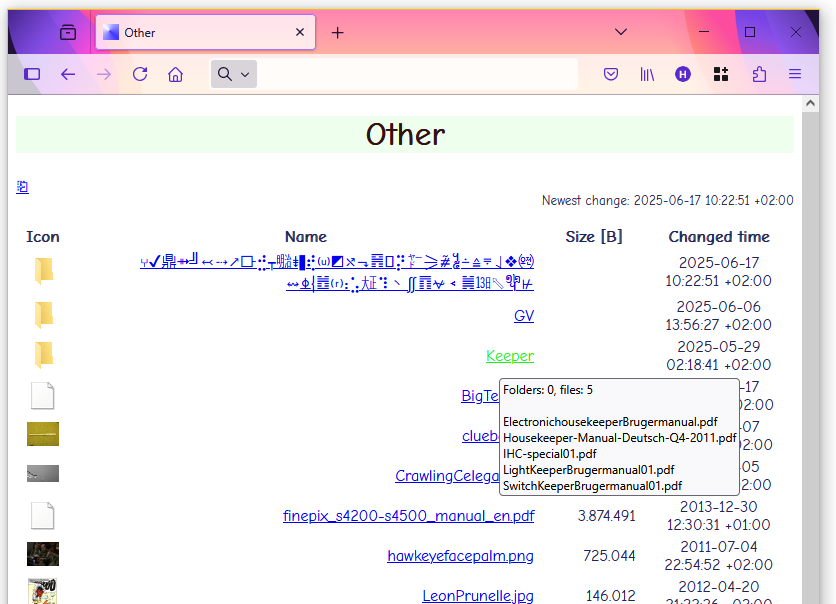
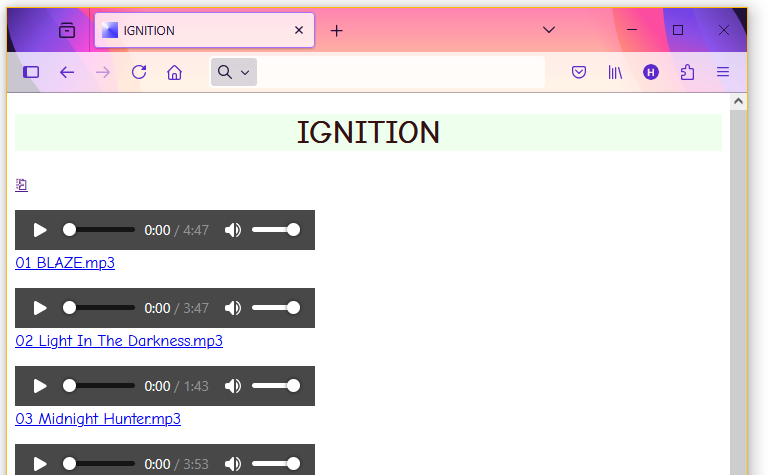
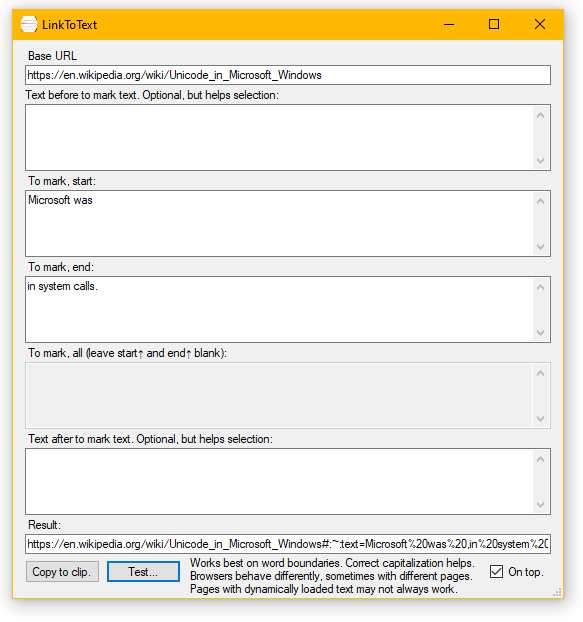
Creates links that highlight specified text on linked page.
Example from screenshot above.
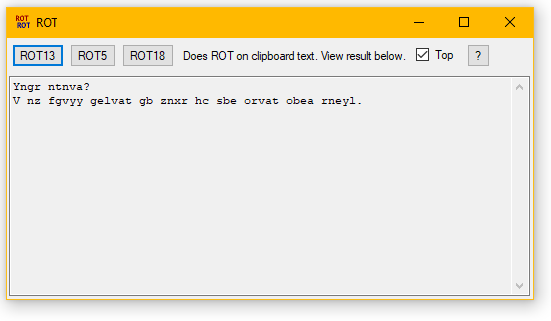
    MPFiles - 2026 - Henning Olsen - Release build: 2026-09-02

    Multi Process Files. Similar functionality to builtin ForFiles, but will split work up in parallel.

Folder:FolderName  -  More than one allowed.
SubFolders

FilePattern:*.*

FileNewer:Seconds  -  Or mm:ss or hh:mm:ss or dd:hh:mm:ss.
FileOlder:Seconds  -  Or mm:ss or hh:mm:ss or dd:hh:mm:ss.
FileNewerDate:2026-09-02T11:51:25.2705778+02:00  -  Or partial fex 13:13 or 2020-01-01. Partial time is today.
FileOlderDate:2026-09-02T11:51:25.2705778+02:00  -  Or partial fex 13:13 or 2020-01-01. Partial time is today.
    Time is LastWrite and exclusive.

File:FileName  -  More than one allowed.

ListOnly  -  Only list selected files.

Command:Name  -  Exe, Bat, etc. If no Command is given, each file is run on its own with switches.
CommandSwitches:Text  -  Get filename with ** . Use double " if " is needed for command switches. Fex:
    MPFiles.exe Folder:C:\Temp "FilePattern:*space test.mp4" "Command:C:\Program Files\VideoLAN\VLC\vlc.exe" "CommandSwitches:""**"""

Priority:Normal Idle High BelowNormal AboveNormal
https://learn.microsoft.com/en-us/dotnet/api/system.diagnostics.processpriorityclass

Minimize  -  Minimize window running Command.

Parallel:Number  -  Default is the number of logical CPUs. This machine: 4.
    If negative, the value is subtracted from CPU count. Parallel will always be at least 1.

Randomize  -  Randomize filelist to potentionally spread load on different resources fex disks.

    Exitcode is the negative sum of absolute exit codes from started processes. Positive code is from MPFiles.
Process files in parallel.
TCPToFile - (c) 2017 Henning Olsen - Release build: 2026-04-02T09:59:55Z

InputPort:Number.
TCPTimeOut:Number. Default 2000ms
SaveFolder:Text.
SaveFile:Text. If not specified, a random name is used.
PrependFileNumber. Tries next higher number until the name is not found.
Command:Text.
CommandSwitches:Text. Get filename with **
CommandTimeout:Number. Seconds before killing that proces. Default 30s.
DeleteFile. Delete file after command.

Don't forget to enclose arguments with spaces in "
Very simple example:
InputPort:9100 "SaveFolder:C:\Temp" SaveFile:tcptofilefile PrependFileNumber "Command:notepad.exe" "CommandSwitches:**"

Possible exitcodes:
0 OK
1 NoArguments
2 ErrorArgumentUnknown
3 ErrorInputPort
4 ErrorTCPTimeOut
5 ErrorCommandTimeOut
Run from SchTasks.
I think TCPToFile came to be, when either MS or BigCorp blocked printer port monitors from saving to file, though I have used something like TTF years before. And this has more functionality, fex using the Command option to send the 'printed' file with hMail .
Not only for picking up printjobs, but that has been a frequent use, fex dumping an extra copy of a print on a file server, or sending the same print to more than one printer, or buffer and only print during office hours with SchTasks.
Example printer port setup, start in PrintManagement.msc:
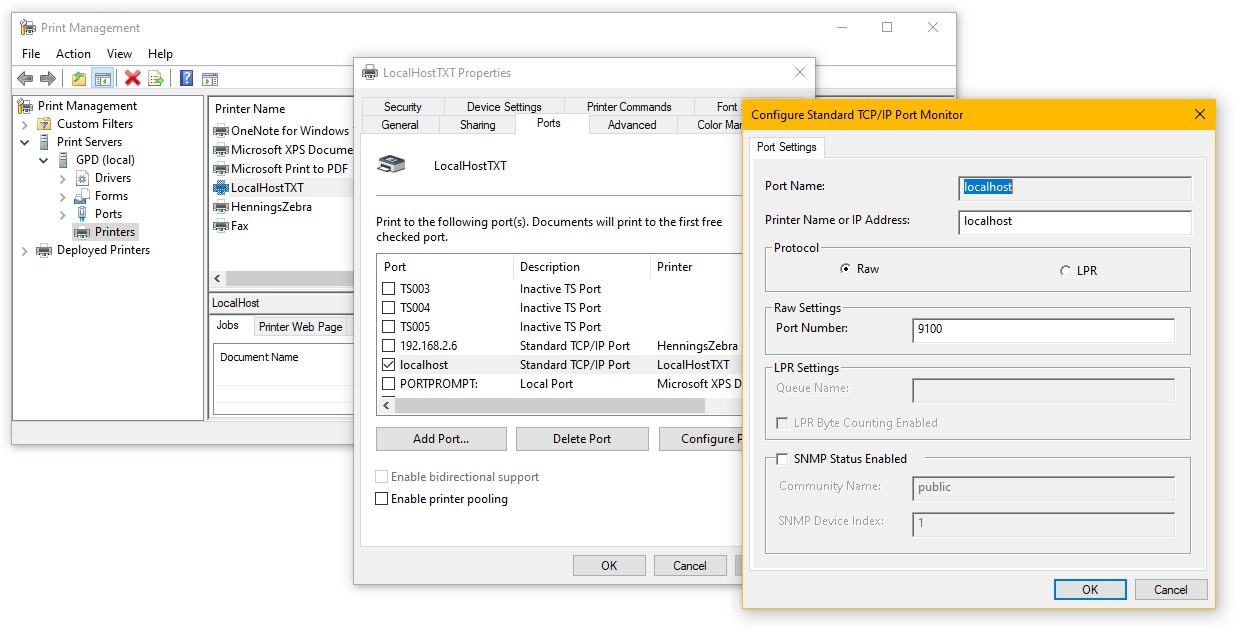
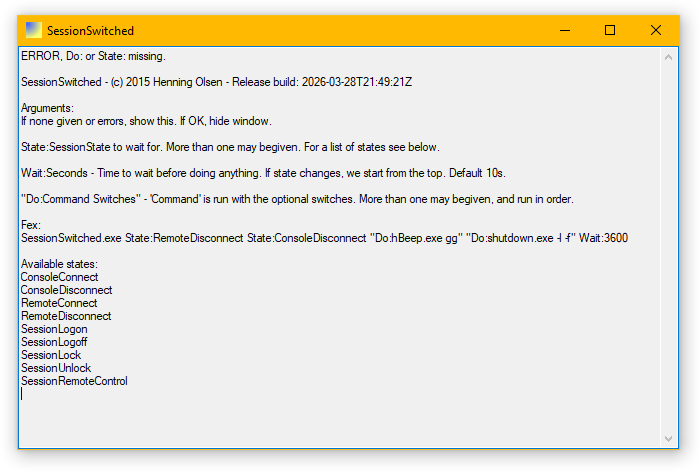
Wait for events in users session state, and execute commands.
Use when doing screen shots/capture (like with images on this page). Or when presenting, to show/hide parts of shared screen.
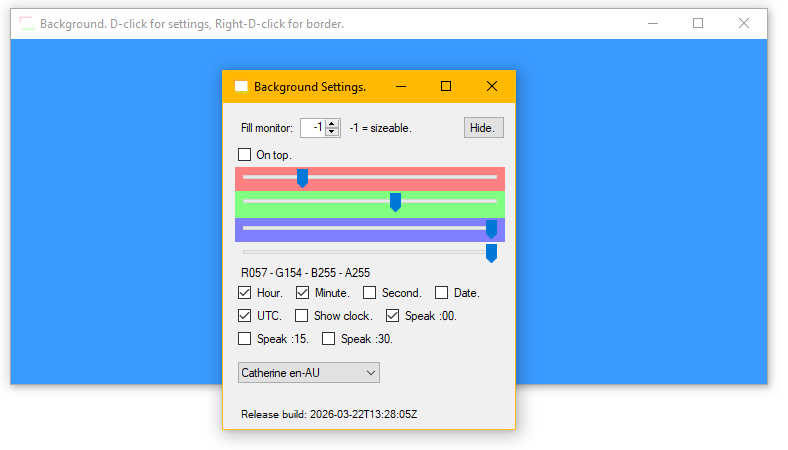
↓ ↓ ↓ ↓ ↓ ↓
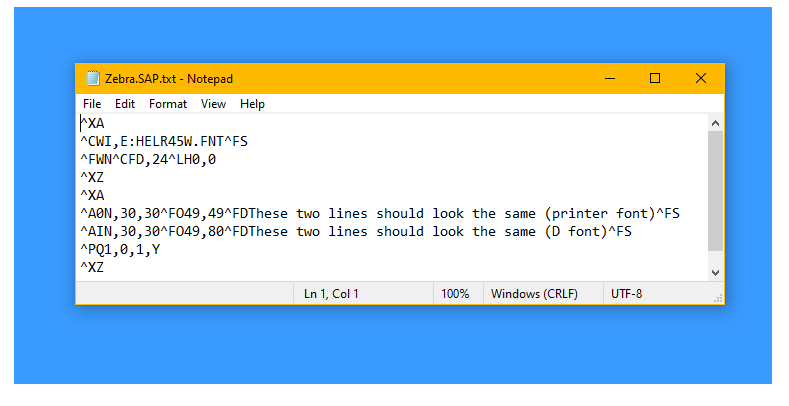
Or just to show a clock. Any size, even fill all screens. I need a clock I can see from a distance, I will just put it in BackGround. That got a little out of hand.
    hWrite - Henning Olsen - Release build: 2026-04-26T09:03:12Z

Writes text to file or console.
"Text:Text" - " in text must be doubled, see ""en"" in example.
"LineBreak:Text" - Default !! .
"Enc:Encoding" - Default UTF8. See next:
ListEnc - List available encodings.
Console - Write to console.
"File:PathName" - Write to this file.
"Timestamp:Format" - Append timestamp to filename, default format is _yyyyMMdd_HHmmss.ff
Prepend - Prepend, otherwise overwrite.
Append - Append, otherwise overwrite.

Example (note the double " around en in the Text argument to get single " in output):
hWrite.exe "File:%temp%\Output.html" "Text:<!DOCTYPE html> <html lang=""en""> <head> <title>List of C drive.</title> </head> <pre>No sub dirs.!!!!" LineBreak:!!
DIR C:\ /B >>"%temp%\Output.html"
hWrite.exe "File:%temp%\Output.html" Append "Text:</pre> </html>"
(I had to rename from Write to hWrite, because there are Write.exe stubs, for starting Wordpad.exe, in three super protected Windows folders, which meant sensible Path variables did not work, and scripts just started Wordpad.)
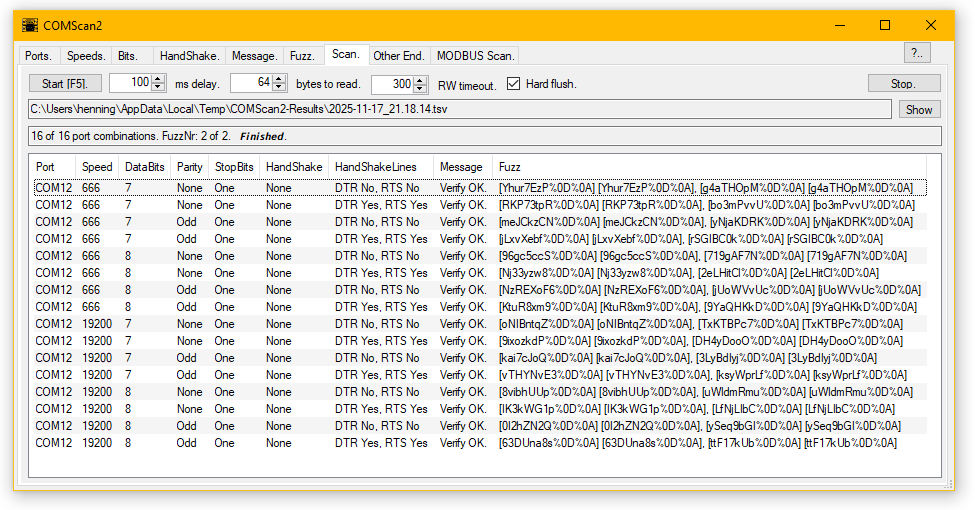
Originally a WinCE application (that will be published later when I need it), so some things can look strange.
All combinations of speeds, databits, stopbits and handshakes can be tested in one go.
HandShake is rarely needed, but the RTS or DTR line is sometimes (surprisingly) expected to be set by (older) devices, so I default them on in applications.
CS2 works on any port that is presented to Windows as a COM port. This includes RS232, RS422 and RS485, the latter used with fex MODBUS and PROFIBUS.
With two ports on the same PC, the connecting cable can be tested with 'Other End'.
Fuzzy scanning is a work in progress, but have helped with devices with no documentation; leave it running until some responses have a pattern to work from.
Mostly fuzzy is not needed, just send the default NewLine, and see which port settings allow results.
MODBUS scanning uses my own very old MB library, but integration in CS2 is not yet finished, and I only have one simple device to test against. And it needs wiring up.

Should not be needed.
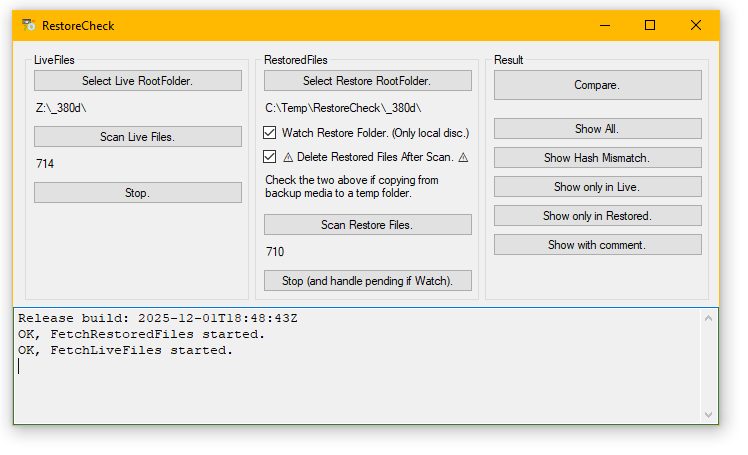
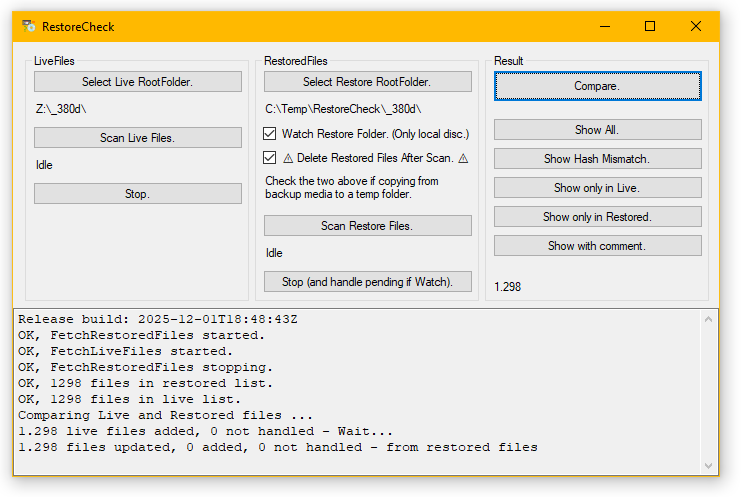
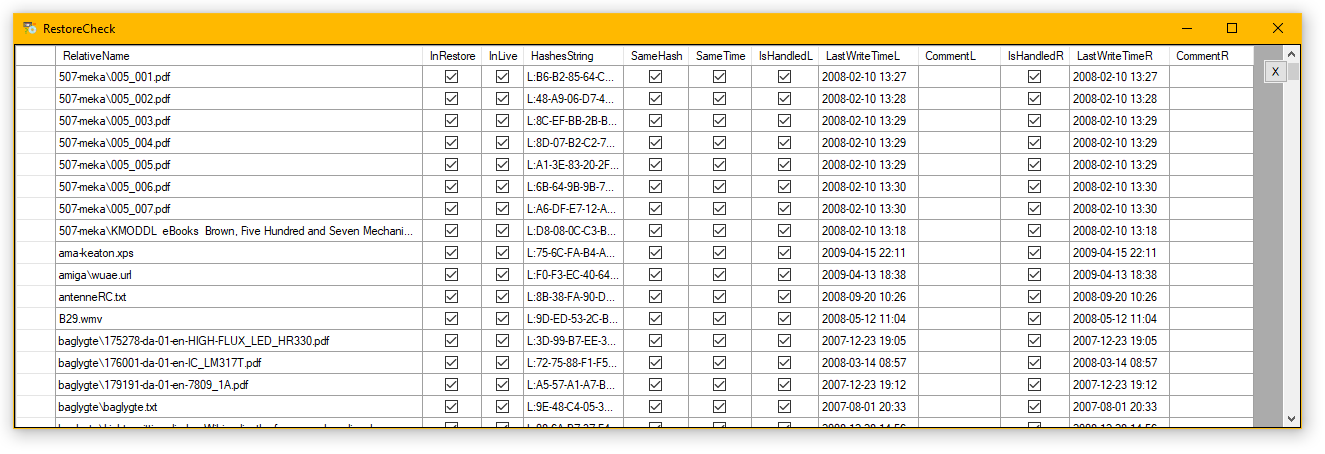
Check that backups can be succesfully restored or verify two copies of the same folders are the same.
Files are compared by pathname and SHA256 hash. Result can be copied to fex a spreadsheet.
If checking restoring from fex tape there may not be disk space free for the entire restore. In that case use the options Watch and Delete on a temp folder and restore to there as shown.
This application had not been modified since 2009-12.
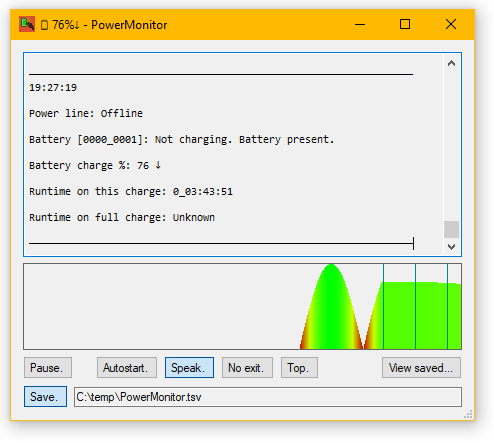

A quick one; most was in SharedBattery to debug battery status that gets a strange pseudo bitfield from WIN32, but PM has general uses:
It shows estimated runtimes all the time (runtime on full charge is stored, then used when Windows does not provide a current value), logs history and audibly notifies on powerline change and when charging stops.
If power status is needed in a script, see hWaitFor .
Code1.png)
Code2.png)
Code3.png)
Quickly add some HTML decoration. More options will be added as needed.
Also converts fex NewLine to <br> and < to < .
Use "To <pre>" to escape content for <pre> segments, fex like the "CMD screens" on this page.
    HTMLContentIndex - 2026 - Henning Olsen - Release build: 2026-04-02T09:58:14Z

    Input is a HTML file, where all headers <h1> to <h6> are extracted to a nested <ul> list.

    Input example <h2>, properties are optional:
        <h2 id="WhatAndWhy" data-hxo-desc="Really, why?">What and why.</h2>
    Output:
        <ul>
        <li><a href="#WhatAndWhy">What and why.</a><br> Really, why?</li>
        <ul>

    Note: This is a simple tool; it is strict, only uses UTF-8 and is tested on simple HTML.
          With problems, at least check your source with the browsers View Source, or better see one of:
          https://firefox-source-docs.mozilla.org/devtools-user/validators/index.html

    Arguments:
"Infile:PathName"
"OutFile:PathName"
WriteEnvelope - <!DOCTYPE html><html> BlahBlah </html>
WriteAnchor - Links to #id
"PrependAnchor:Content.html" - Use if Index is not embedded in content file. Use ReplaceText.exe for embedding.
WriteDesc - Writes data-hxo-desc after entry.
"PrependDesc:<br> " - Default shown. Prepend to description.
"AppendDesc:" - Default blank. Append to description. Fex add <small> and </small> around description.
Create an index of headings in a HTML file.
Example (also try View Source) from current page and:
HTMLContentIndex.exe InFile:HenningsSW.html OutFile:ContentIndex.html WriteEnvelope WriteAnchor PrependAnchor:HenningsSW.html WriteDesc.
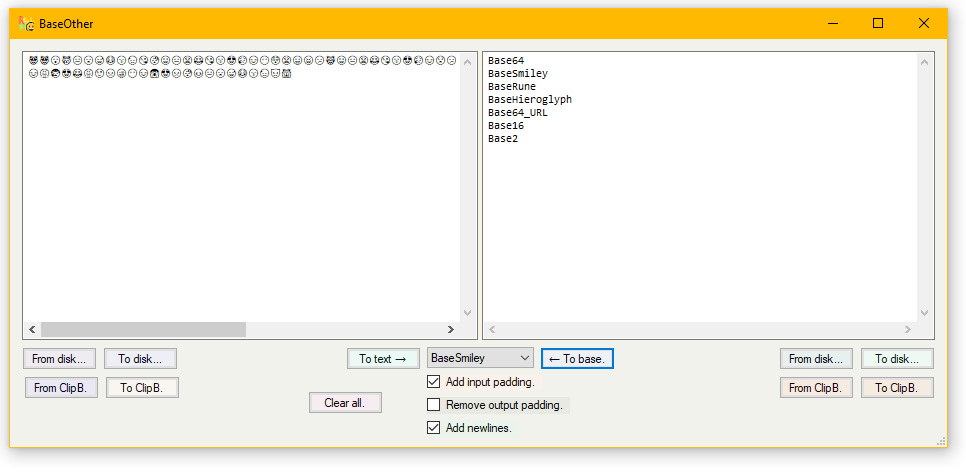
BaseHieroglyphs replaces Base64 chars with chars starting at 77824, BaseSmileys at 128512 and BaseRunes at 5792.
Yes, a few are not listed on Binary-to-text_encoding .
PDF-fjant combines any number of PDFs, ignoring not-allowed-flags and saves them as one.
I dislike PDF for a number of reasons. It is properitary and overly complex. So you have to spend money and learning to get information into and out of the format. Resources that cannot be re-used with other formats. And viewing a PDF onscreen is less than ideal, as it never fits my screen. Just use HTML.
PDF-fjant (UI is also in danish) quickly happened, when one day I got a parts catalogue, where each of hundreds pages was presented in a website as separate PDFs. And the next day someone came in with ExpensiveDeviceManual.pdf that would not print to paper (laptops and tablets were expensive then) because of a flag set in the docoument. I was already looking into PDFSharp  for a work request, that happily ended up not using PDF.
Not super useful today (it was for some years from 2009), as often newer PDFs have properties, that the gratis version of the PDFSharp library does not support. And I guess even the paid versions of tools struggle to keep up with new 'enhancements' from Adobe. I rarely work with PDFs, but every few years I use PDF-fjant, so I keep it around, and only rebuilt it for .NET 4.8.1. Writing this took longer.
    Touch - Henning Olsen - Adjust file and folder timestamps.
        Release build: 1.0.BETA.43 - 2026-06-19T15:57:42Z

File:PathName  - More than one can be given.
Folder:PathName  - More than one can be given.

InFolder:PathName - Find in this folder. More than one can be given.
PathPattern:* - Path must contain this fex: *\temp\output\* .
SubFolders - Include subfolders in InFolder.
FilePattern:* - Set on match. Default *, set blank for none.
FolderPattern: - Set on match. Default none.

ListOnly - Make no changes, only list selected (before SkipAlready).
NoList - Do not list files or folders on console.

Field:CWA - Set Created - Write - Accessed field(s). Default all.

From:PathName - Copy fields from file or folder.
DT:DateTime -
TOD:TimeOfDay
OffsetNow:Offset - Offset from now.
OffsetNext:Offset - Offset each consecutive file time. Works with From, DT TOD and OffsetNow.
OffsetFile:Offset - Offset existing file or folder time.

Reset: - Resets down to: second, minute, hour, week, month or year.

FromNewest - Sets Write on Folder from newest content. Uses FolderPattern:* if none.

Random:Offset - Make settime random +- with this Offset.
                Also works with Interval and Compress.

  Compress times between Start and End:
  Oldest file or folder is set to Start, newest to End and
  the rest spread relative to their time.
  Works on all content in all InFolders as one!
StartDT:DateTime
EndDT:DateTime
StartTOD:TimeOfDay - Ignores date.
EndTOD:TimeOfDay - Ignores date.
StartDOW:WeekdayNumber - Monday is 1. Ignores TOD.
EndDOW:WeekdayNumber - Sunday is 7. Ignores TOD.
SkipAlready - Skip file or folder if it is already in the target interval.

    Notes:
The same argument later on the line wins.
If two functions are needed fex DOW and TOD, run Touch twice.
Some functions are mutually exclusive with undefined results.
Argument starting with ' is ignored.
About patterns, see help-? in hSearch.exe.
If the Accessed field is OS controlled, it can be hard to set. See:
fsutil behavior set/query disablelastaccess /?

Example DateTime: 1999-02-25T19:12:21.25 or partial fex 13:13 or 2020-01-01. Partial time is today.

Timezone is assumed local, but offset from UTC can be added to the end fex +8 or -4. Use Z for UTC.

Example TimeOfDay: 19:12:21.25 or partial fex 13:13.

Example Offsets: 22.15:44:03.45 or -22.15:44:03.45 or partial fex 19:45.
Sets timestamps (Created, Written and/or Accessed) on files and folders, either directly or from criteria such as date, time of day or day of week. The compression of time could be useful (😇) in some BigCorp that deletes files after a year or two, but you need to keep documentation like source code or machine drawings a bit longer. Random can be used to make the changes look more natural (the three timestams get their own random offset), or fex to trigger file transfers.
Small fun facts: I did not come up with the name, it has been used for similar tools for decades. I happen to have been using:
Touch for Win32, Version 1.0
Freeware by Steve P. Miller (stevemil@pobox.com). Copyright 1997.
Visit http://pobox.com/~stevemil for the latest version and other utilities.
        ManyFiles 2009 Henning Olsen
Release build: 2026-04-02T09:58:42Z
Control-C stops.

Folder:Foldername.
Minsize:Bytes  -  Smallest filesize.
Maxsize:Bytes  -  Largest filesize.
    Filesizes are choosen at random between min and max.
Number:Number  -  Number of files, limit 50000.
BigNumber:Number  -  Number of files, no limit in application.
RunOnce  -  Create files and exit without cleanup.
    Maybe except the test folder from malware scan.
Continously writes, reads and overwrites its test files.
Load test storage, or see how an application deals with a large amount of files. This one had been hanging around as version 0.5 for 17 years.
        ZIPCMD - Henning Olsen - Release build: 2026-08-11T09:30:23Z

    Small (38.422 bytes) zip archive handler for the commandline.

  Handles unicode pathnames (hello ÆØÅ!). Explorer.exe does not fully.
  2026-1: Still a 2GB limit on each input file. Use argument TryAnyway to test if MS has fixed the issue.
          Extracting a 6GB+ file is fine.

FilePattern:* - Match on pattern, default all. To or from zip.
FolderPattern:* - Match on pattern, default all. To or from zip.
CompLevel:Good/Fast/None - Compression level, default good.
NoPath - Do not include path in zip, puts all files in zip root.
RemoveRoot:String - Removes this from start of pathname in zip.

ToZip:ZipName - Add files to this.

File:FileName - Specific file, more than one allowed.
Folder:FolderName - All files in folder, more than one allowed.
Subfolders - Include subfolders.

SeparateFolders:FolderName - Take all subfolders in this and zip each in a separate zip in SeparateOut.
SeparateFiles:FolderName - Take all files in this and zip each in a separate zip in SeparateOut. Keeps folder structure.
SeparateOut:FolderName

FromZip:ZipName - Extract files from this zip.
FromZips:FolderName - Extract files from all zips in folder (not SubFolders).
ToFolder:FolderName - To here. Default blank = current folder.

TestZip:ZipName - Extracts all content to nowhere.
ListZip:ZipName - List content.

ToSEZip:ExeName - Create SelfExtracting zip.
SEZipDest:FolderName - When run, extract to this folder. Default blank = current folder.
SEZipRun:FileName - After extraction, run this file. More than one allowed. If args are needed or run order is important, use a bat file.
  For environment variables, replace % with *. Fex:
  ZIPCMD.exe ToSEZip:C:\Temp\Test.exe  "SEZipDest:*temp*\a Z"  "SEZipRun:*temp*\a Z\Cows.jpg"  File:C:\Temp\Cows.jpg  NoPath
  -> Test.exe ->
  Extracting to: C:\Users\henning\AppData\Local\Temp\a Z\
  Starting: C:\Users\henning\AppData\Local\Temp\a Z\Cows.jpg

  To make an existing zip self extracting (but no options for Dest or Run):
  COPY /B ZIPCMD.exe + Some.zip Some.exe
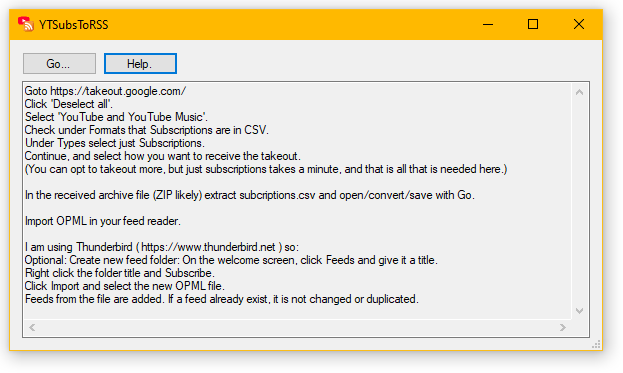
Makes
Youtube  subscriptions easily available for your RSS feed reader. Input is the CSV file obtained from
Google Takeout
subscriptions easily available for your RSS feed reader. Input is the CSV file obtained from
Google Takeout  (see Help) and output is an
OPML
file.
(see Help) and output is an
OPML
file.
Why? I often overlook notifcations, and the current notification system often falls over whith more than 20-30 pending and just skips some for no apparent reason. And I like to keep up without manual clicking. Same as any other website; no RSS means I will not be a regular visitor.
If you do not have a Youtube account or only add a few subscriptions, an alternate method is:
On a channel page, click More on the description. Click 'Share Channel' and 'Copy Channel ID'. Append ChannelID to https://www.youtube.com/feeds/videos.xml?channel_id=ChannelID, fex https://www.youtube.com/feeds/videos.xml?channel_id=UCk122TftdOJJAqLG0qS1J0g and use that for your feed reader.
For other methods see
Open RSS  , a service that is also useful for other sites and feeds. Especially sites with no 'native' feeds. "Open RSS offers feeds that are a much healthier alternative to the intrusive, algorithmic feeds on websites that harm and manipulate us. Our service continues to generate thousands of feeds, and we won't stop until every website has one. With RSS feeds, we can all finally follow web content on our terms, using feeds that only we control."
    Ding - 2006 - Henning Olsen - Release build: 2026-06-19T12:57:19Z

Usage:
Target * Must be first argument.
[s][silent] * Be quiet.
[n][not] * Inverse use of sound.
[e][exit] * Exit at first reply.
[d:number][distance:number] * Max distance in ms to and from target (100).
[w:number][wait:number] * ms between pings (2000).
[h:number][hops:number] * Max number of hops.
[l:number][dnslookup:number] * Lookup DNS name every n ping. 0 means just once (0).
Audible ping. Can look up name/IP as they change.
Had forgotten about this, until it was missing on a new machine, as it was not in the current deployment. Originally from march 2006 AFAICT.
    LineFindDo - Henning Olsen - Release build: 2026-08-29

    Takes line input from STDIN (pipe |) or file and finds lines with or without search pattern, outputs to STDOUT, file and executes command.

FileIn:PathName - Take input fromfile. STDIN is ignored.
WatchFile - Watch FileIn for changes, and read from after last position.
WatchFileAge:Seconds - Last change must be this long ago before reaction. Default 3s.

CaseSensitive  -
Find:*Text*    - Output only line with this.    More than on allowed. Uses wildcards (*, ?, etc), see hSearch Help.
FindNot:*Text* - Output only line without this. More than on allowed. Uses wildcards (*, ?, etc), see hSearch Help.

TimeStamp:Format - Prepend timestamp to output. If blank default is yyyy-MM-ddThh:mm:ss.ff

Command:PathName - More than one Command is allowed.
Arguments:String - **I to get Input line. **T to get timestamp. **Number for split part (0 indexed).
Split:UniCodePoint - Splits Input line on UCP, in decimal, space=32, Tab=9, ,=44, -=45. More than on allowed.

FileOut:PathName - Appends to file.
Console - Output to console.

    To get both STDOUT and STDERR use 2>&1
    Examples: Dir X.* 2>&1 | LineFindDo.exe Console TimeStamp Find:*
              LineFindDo.exe FileIn:Log.txt WatchFile Find:*Error* Console Command:Beep.bat
Watch also useful for watching changes in a log file.
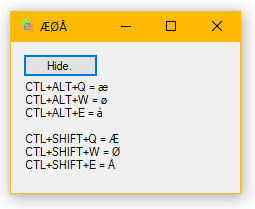
Useful when my keyboard looks like above.
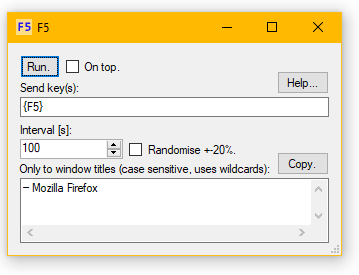
Stupid short autologout in webbank. Maybe use different key for some sites.